Early access programme · opening 2026

Rental operations, run as one system.

LoadOut brings stock, orders, availability, crew, transport and invoicing onto a single set of records, from the first quote to the final return scan. Availability is calculated rather than estimated, and the phone app keeps working when the warehouse has no signal.

Web, iOS and AndroidBarcode and RFID scanningOffline capture in the yardLive over one connection
app.loadout.app / dashboardLive
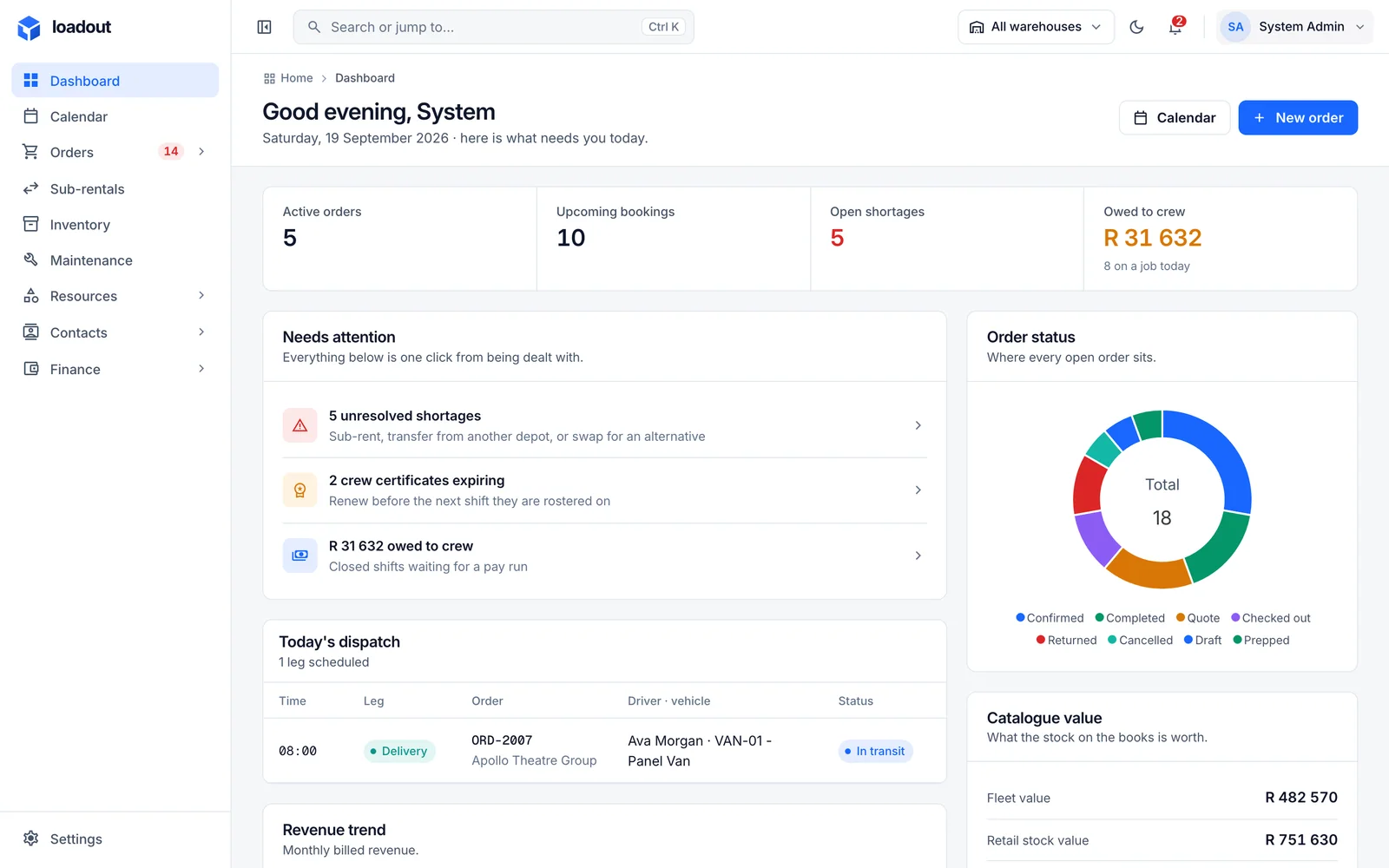
The LoadOut dashboard: active orders, upcoming bookings, open shortages and money owed to crew, a Needs attention list, today's dispatch and the order status breakdown.
  • Event and AV hire
  • Dry hire
  • Production companies
  • Staging and rigging
  • Installation crews
  • Multi-depot operators
  • Lighting and sound
  • Exhibition and display
01The round trip

Everything you own goes out, and comes back.

Most inventory software stops at the stock count. Rental is a loop: quote, reserve, prepare, dispatch, collect, invoice. Every step changes what is available to the next job, and LoadOut is designed around that loop rather than bolted onto a list.

  1. 01

    Quote

    Versioned quotes price equipment, crew and transport on the same lines the warehouse will later pick from. An issued version is fixed; a change creates the next one.

  2. 02

    Confirm and reserve

    Confirmation places a hard reservation across the full operational window, including preparation and turnaround, and surfaces any shortage the moment it exists.

  3. 03

    Prepare and scan out

    Pick, stage and load by barcode or RFID. Containers keep their verified contents between jobs and load as a single scan.

  4. 04

    Dispatch and deliver

    A run carries a driver, a vehicle and ordered stops. Walkarounds, odometer readings and delivery outcomes are captured on the phone as they happen.

  5. 05

    Collect and return

    Collected, received and cleared are three separate facts. Nothing is available to the next job until it has been checked in and cleared for use.

  6. 06

    Invoice

    Charges follow the agreement, not the plan. Invoices, payments, credit notes and recurring billing are raised from the same record the job ran on.

02The platform

One system. Eight workspaces.

Each module is a complete workspace in its own right, and all of them share one set of records. A change made on the order is already on the pack list, the run sheet and the invoice.

01/ 08Catalogue and stock

What you offer, and what you actually hold.

A catalogue item is what you rent or sell; stock is the physical units and quantities behind it. Serial-tracked units, bulk quantities, variants, kits and containers, with one availability figure across all of them.

  • Serial-tracked units or counted bulk, chosen per item
  • Kits built from components, with buildable quantity set by the scarcest
  • Containers that stay packed between jobs and load as a single scan
Explore catalogue and stock
/inventory
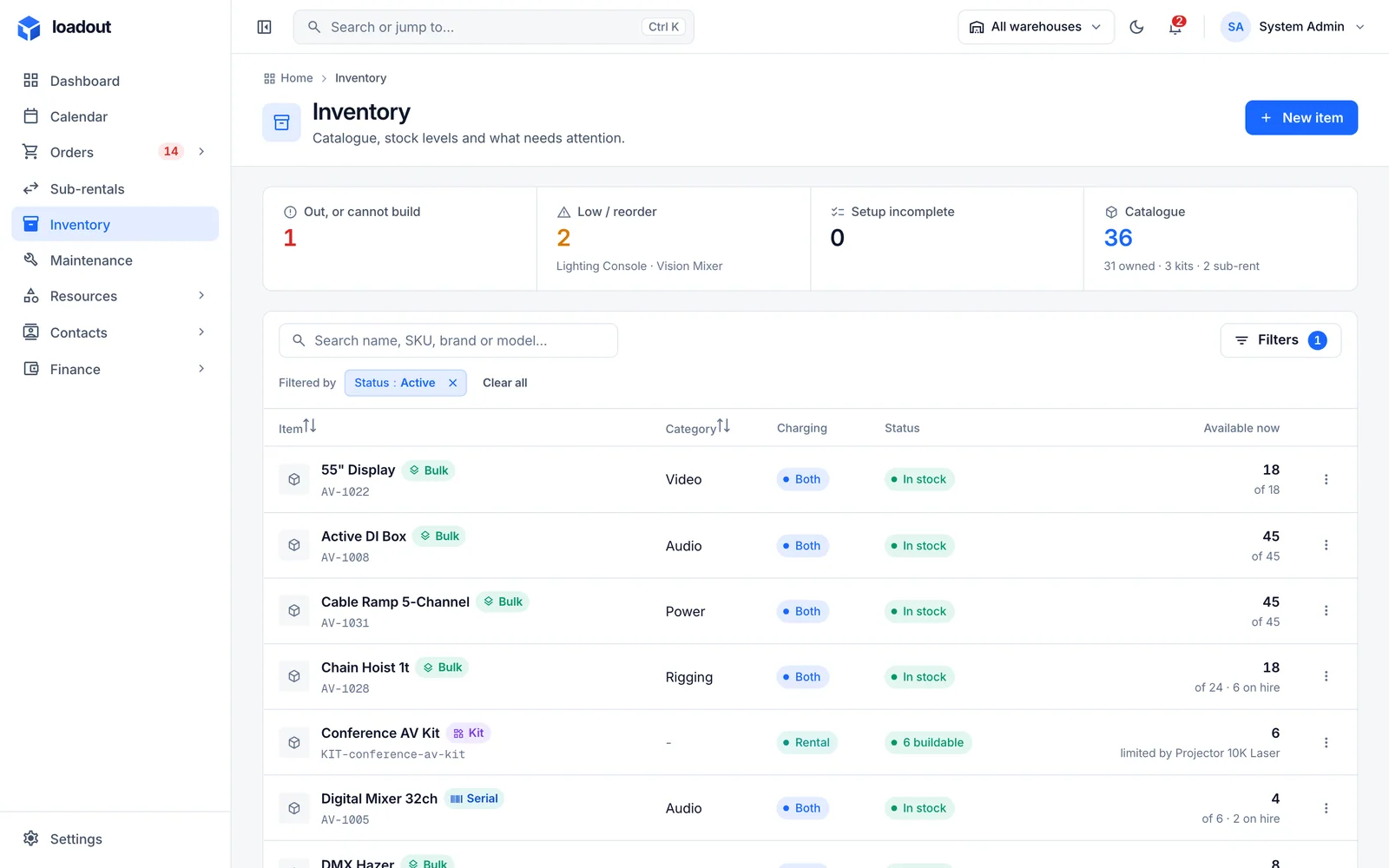
The inventory list: items with SKU, bulk, serial or kit tags, category, charging basis, stock status and what is available right now.
02/ 08Orders and quotes

One record for the whole job.

Rental, event, sale or installation: an order carries its lines, crew, transport, documents and money as tabs on a single page. The quote is a versioned view of it, and the accepted agreement is what both the plan and the invoice follow.

  • Versioned quotes; acceptance records which version was agreed
  • A workflow whose steps run the stock engine rather than a status field
  • Pack lists generated from the same lines the warehouse picks from
Explore orders and quotes
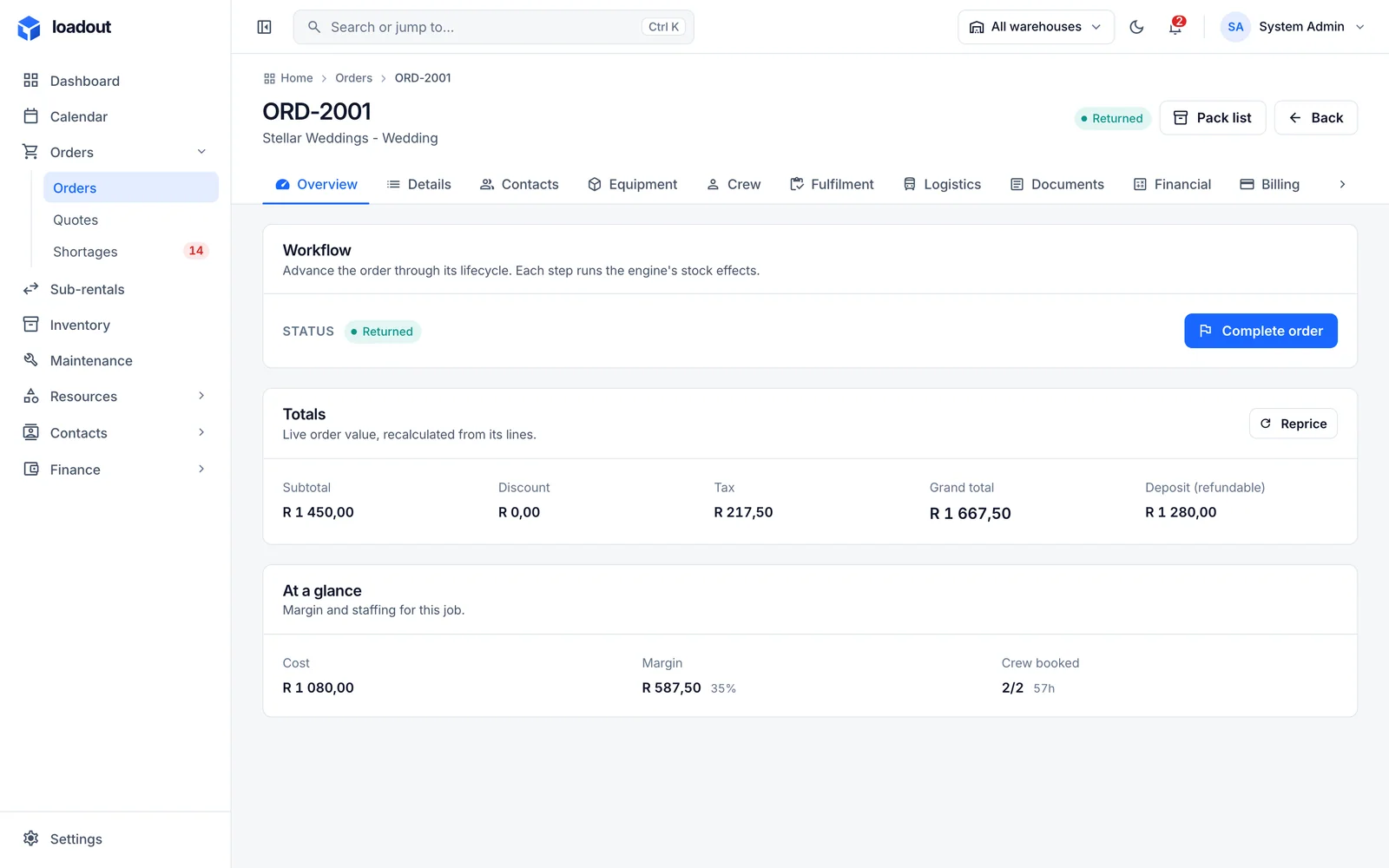
/orders/ORD-2001
An order overview: the workflow step, live totals with tax and refundable deposit, and cost, margin and crew booked at a glance.
03/ 08Availability and shortages

Calculated over a window, never read off a shelf.

Availability is the quantity that can cover an entire operational window after existing reservations and maintenance holds. Shortages are split into those another depot can cover and those nobody can.

  • Soft reservations on quotes, hard reservations on confirmation
  • Each short line names the depot that has stock free
  • Transfer, sub-rent or substitute, always as an explicit decision
Explore availability and shortages
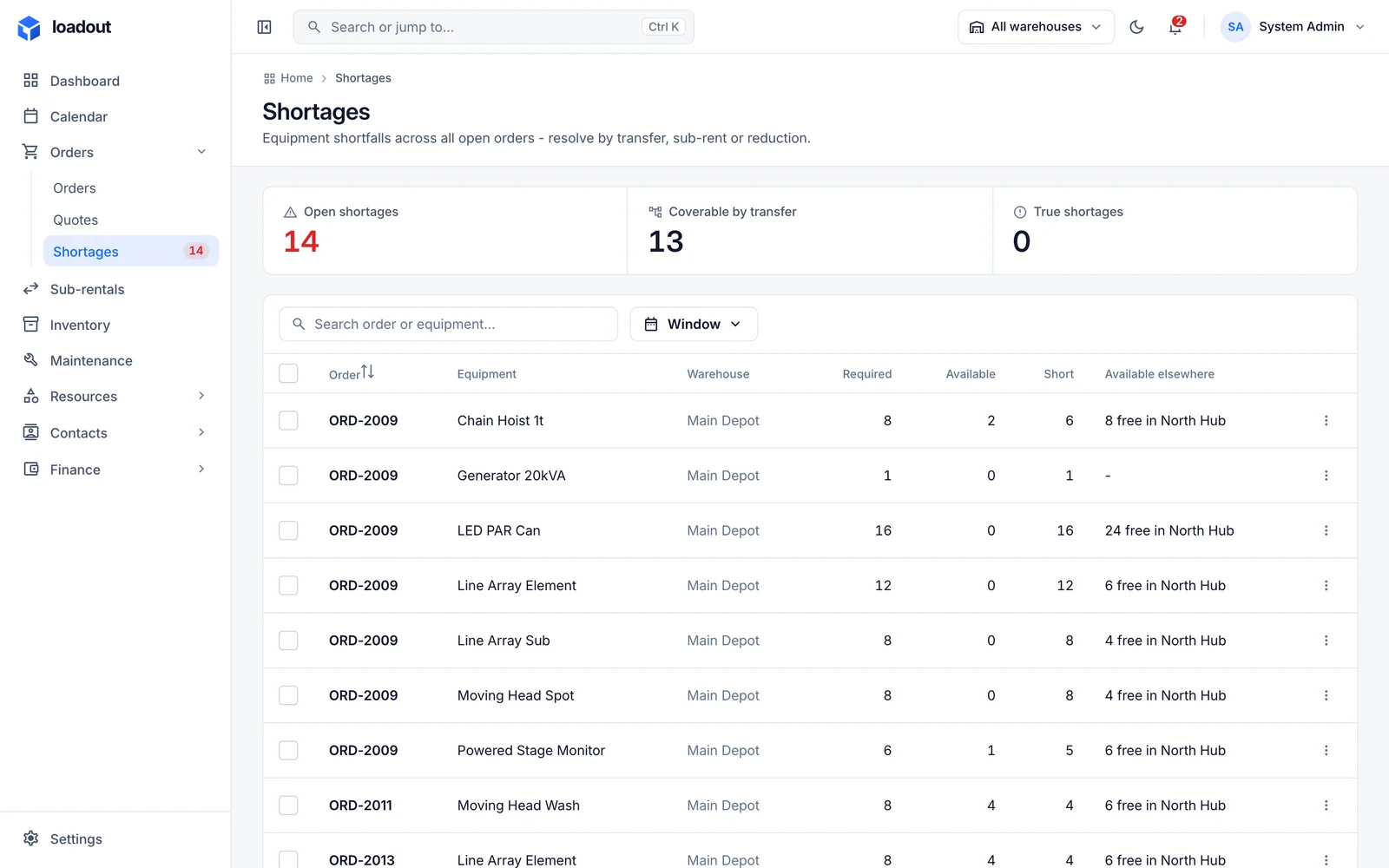
/shortages
Shortages: open, coverable by transfer and true shortages, with each short line naming the depot that has free stock.
04/ 08Warehouse and scanning

Everything else is a view over the scan.

Pick, stage, load, return and count are scans against an order, each answered by the office as it lands. A case whose contents were verified loads as one scan without being opened.

  • Barcode and RFID through the camera, a handheld or a typed code
  • Scans written to the device first and replayed safely when the signal returns
  • Collected, received and cleared kept as three separate facts
Explore warehouse and scanning
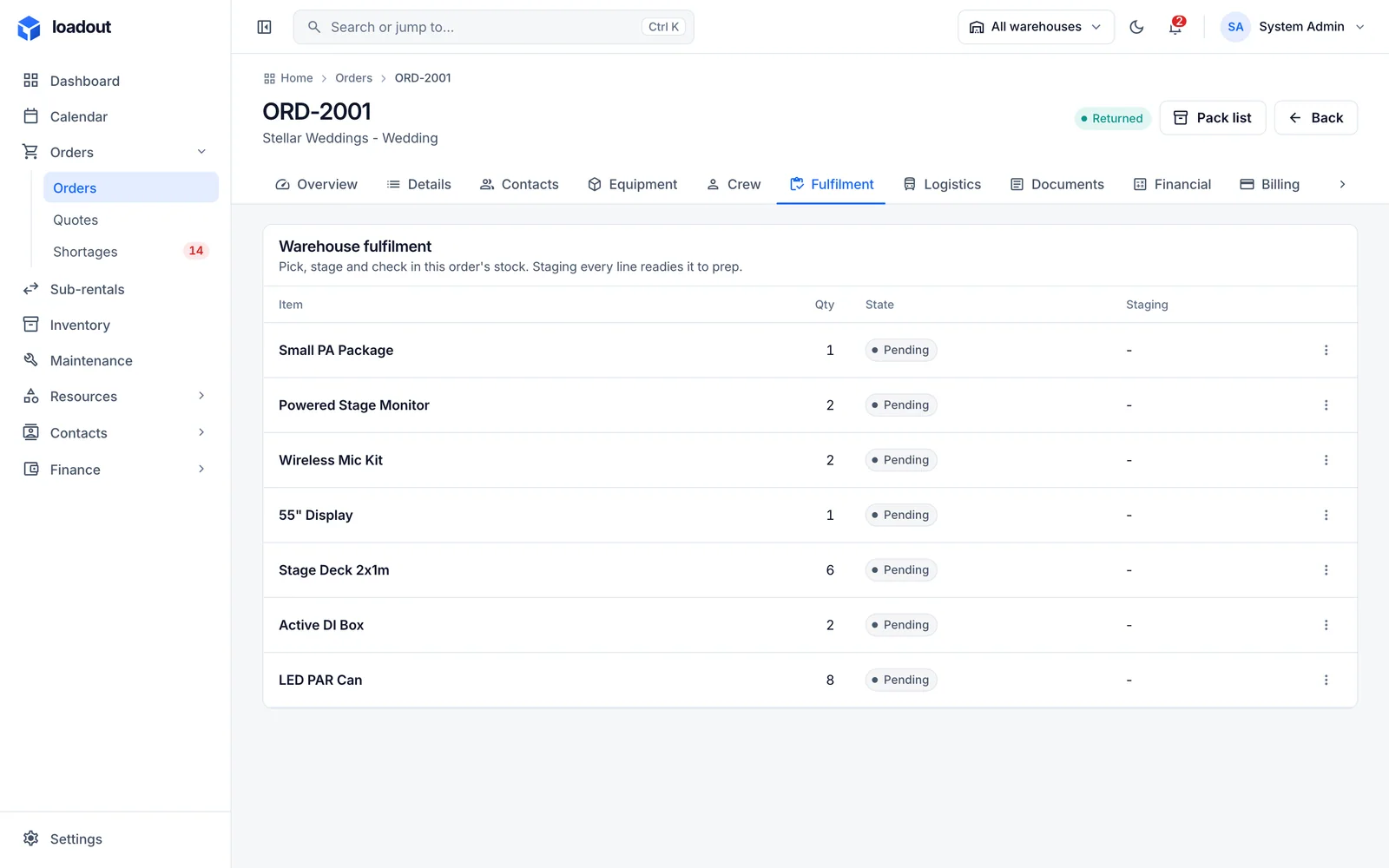
/orders/ORD-2001/fulfilment
An order fulfilment tab: each line with its picked, packed and loaded progress and the units assigned.
05/ 08Transport and fleet

Planned by the office. Captured by the driver.

A run is a vehicle, a driver and ordered stops serving one or more orders. The office plans it; the driver works it on the phone, and every reading, refuel and outcome reaches the office as it happens.

  • Compliance documents you define, applied per vehicle type
  • Licence classes on the person; the vehicle knows what it requires
  • Distance allocated to the orders a run served, landing on their margin
Explore transport and fleet
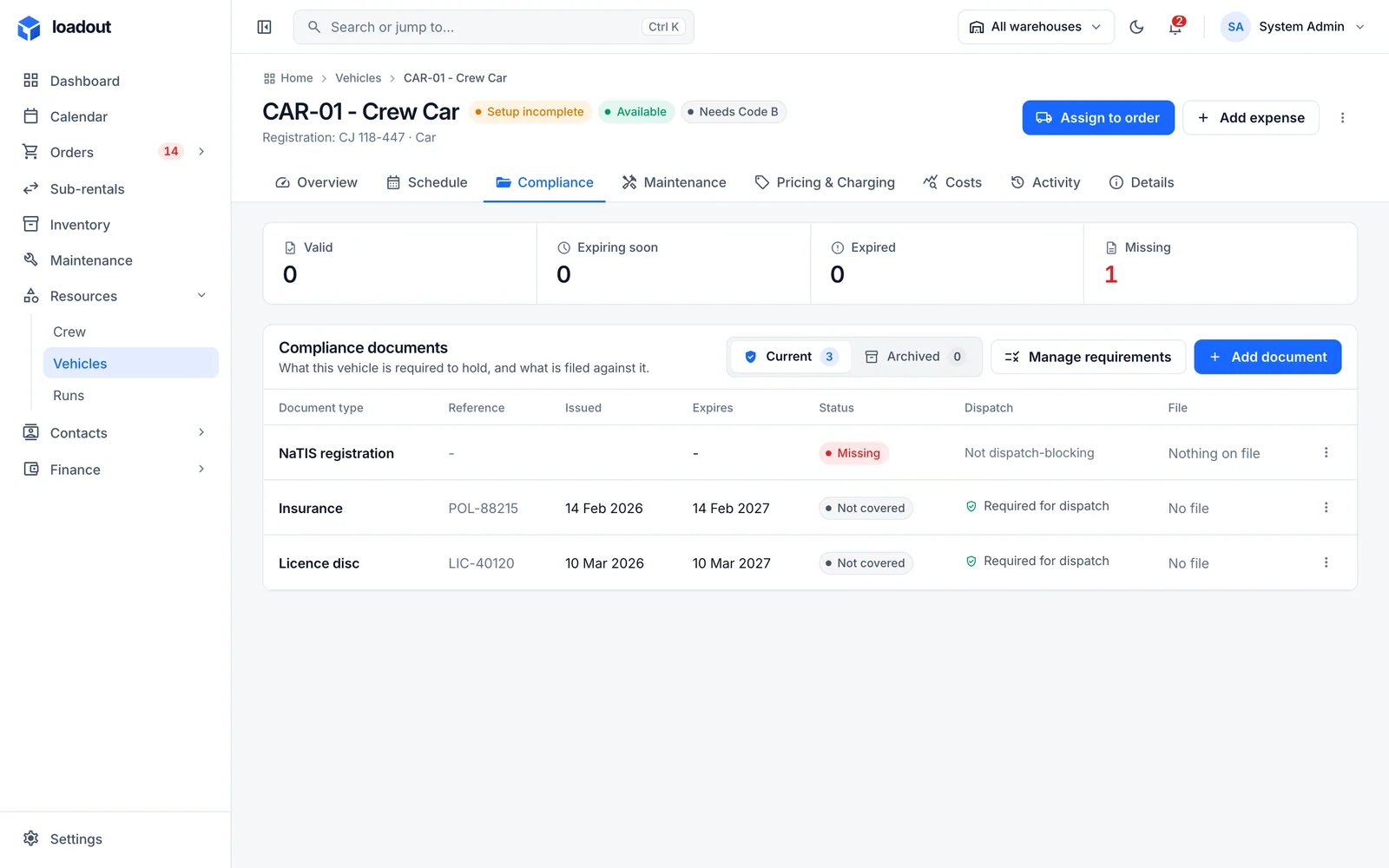
/vehicles/VAN-01/compliance
A vehicle compliance tab: the documents it must hold, their expiry dates and whether it is currently roadworthy.
06/ 08Crew

People, shifts, and what they are actually owed.

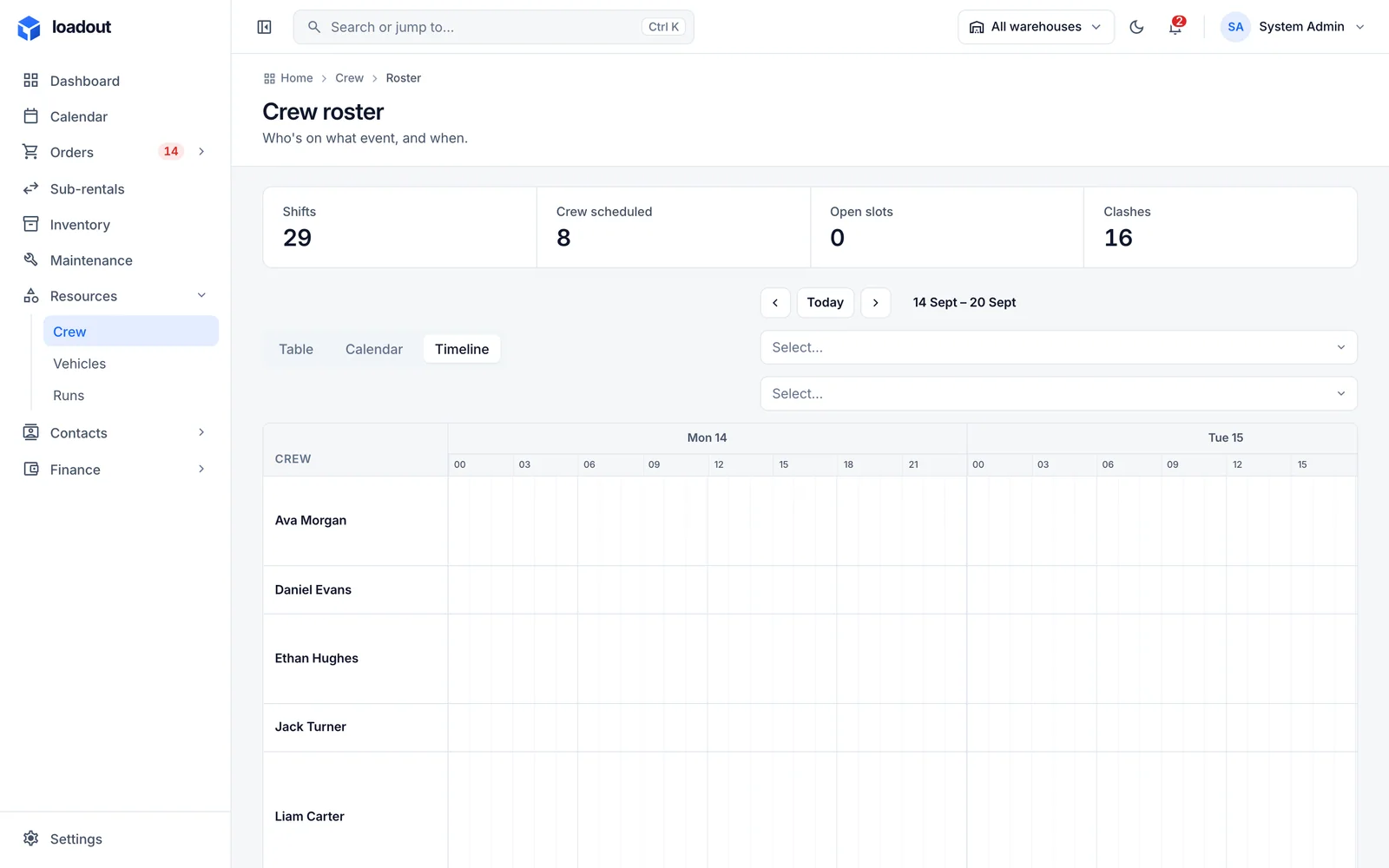
Shifts are set by work role and headcount. Assignments stay tentative until conflicts clear, and overtime is derived from recorded actuals rather than from what the customer was billed.

  • A roster that shows double bookings and travel between sites
  • Qualifications with expiry dates and verification
  • Attendance recorded once; pay rules derive the rest
Explore crew
/crew/roster
The crew roster: people across days with their shifts and any conflicts.
07/ 08Maintenance

A hold is released by clearance. Nothing else.

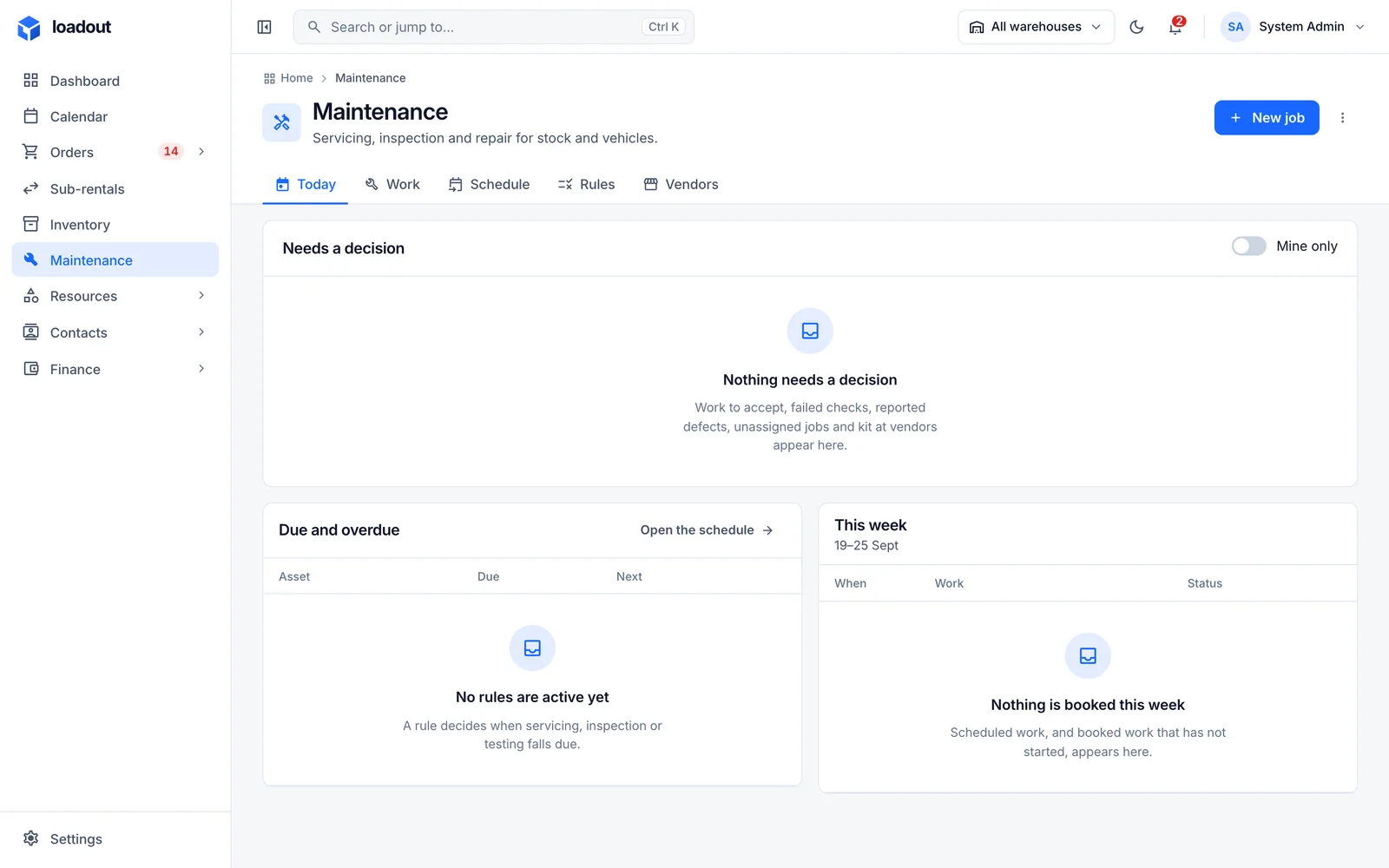
A failed check, reported damage or a due service places a hold on a unit. The hold survives the item turning up and the date passing; only a permitted person clearing the unit releases it.

  • One model for a moving head and a panel van alike
  • Rules that fall due after rentals, hours on hire or distance
  • Return checklists by category; a failed check raises the requirement
Explore maintenance
/maintenance
The maintenance workspace: what needs a decision, what is due and overdue, and this week's booked work.
08/ 08Finance

From the agreed charge to the money in the bank.

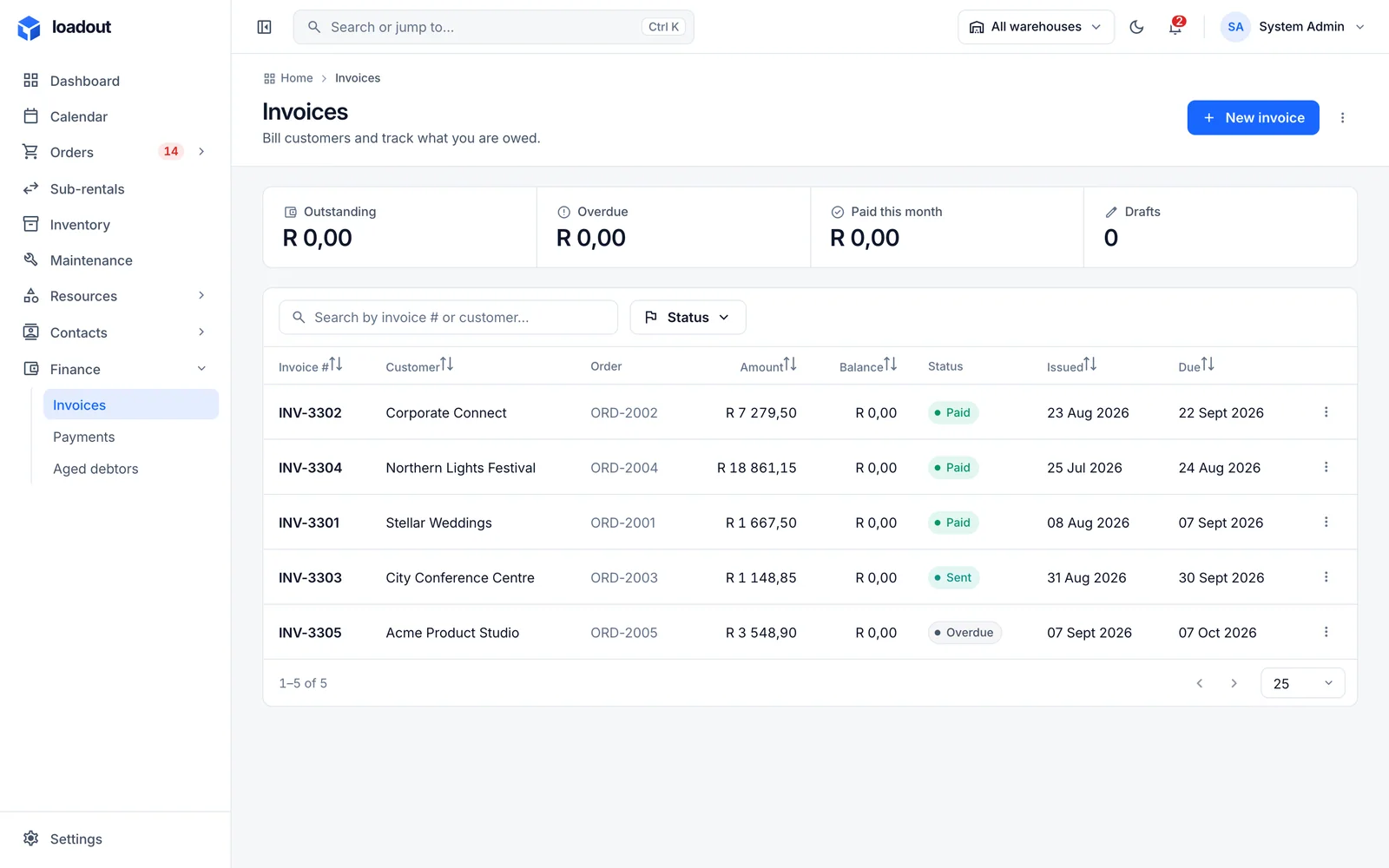
Invoices are issued from charges that are ready, and charges follow the agreement. Payments, allocations, credit notes and refunds are separate facts, so every balance can be explained.

  • Recurring and consolidated invoicing for long hires
  • Public pages where a customer accepts a quote or pays an invoice
  • Tax rates, currency and document templates set per organisation
Explore finance
/invoices
The invoices list with status, customer, totals, amounts outstanding and due dates.
03LoadOut Mobile

The yard and the road, in a pocket.

The same records as the office, on a phone designed for people who are not sitting at a desk. Drivers capture the run in the order the work happens, warehouse staff scan against the order, and crew see their day.

See the mobile app
01

The run, in the order the work happens.

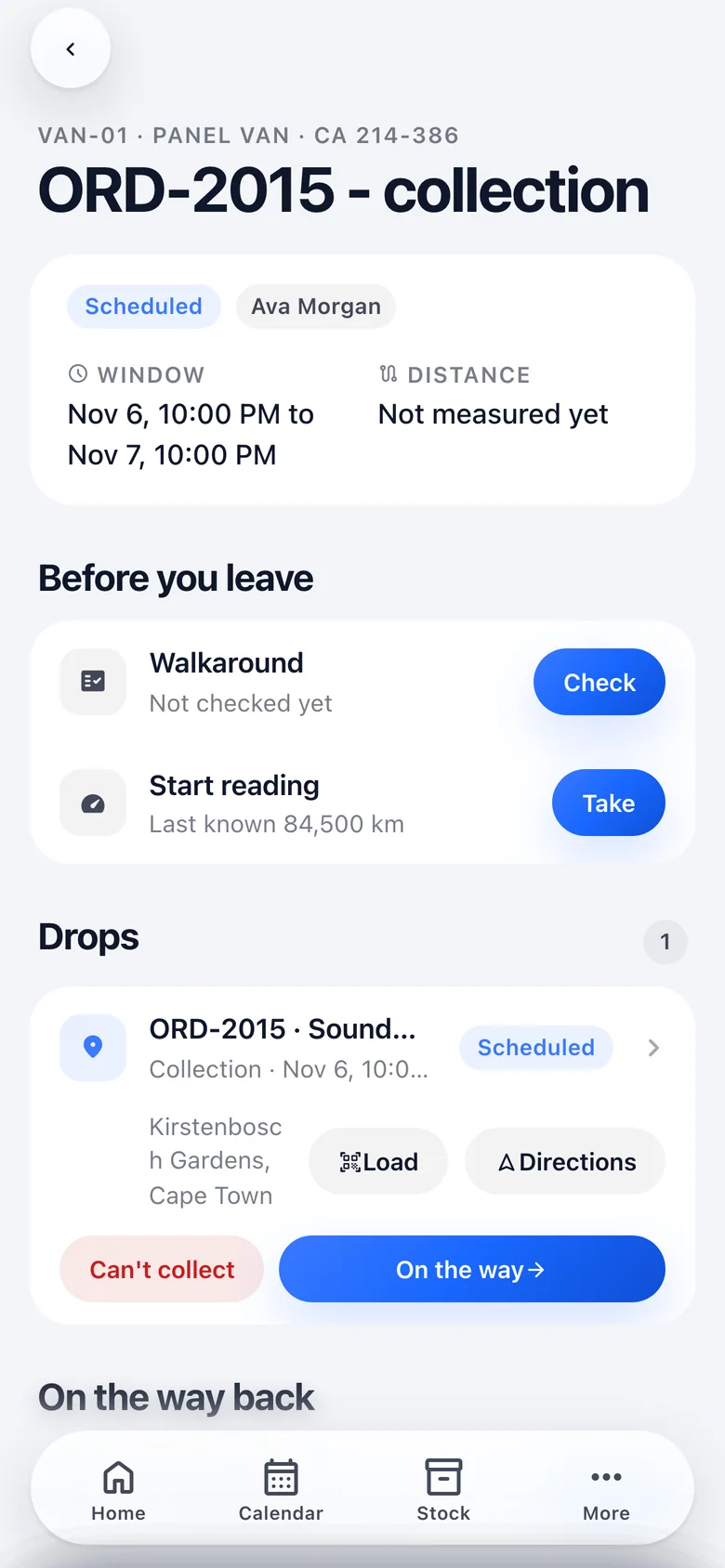
A run opens to what is owed before leaving, then each drop with directions and an outcome, then the closing reading and refuel on the way back.

A run on the phone: the vehicle and window, walkaround and start reading before leaving, then each drop with Load, Directions and On the way.
02

A scan station in a pocket.

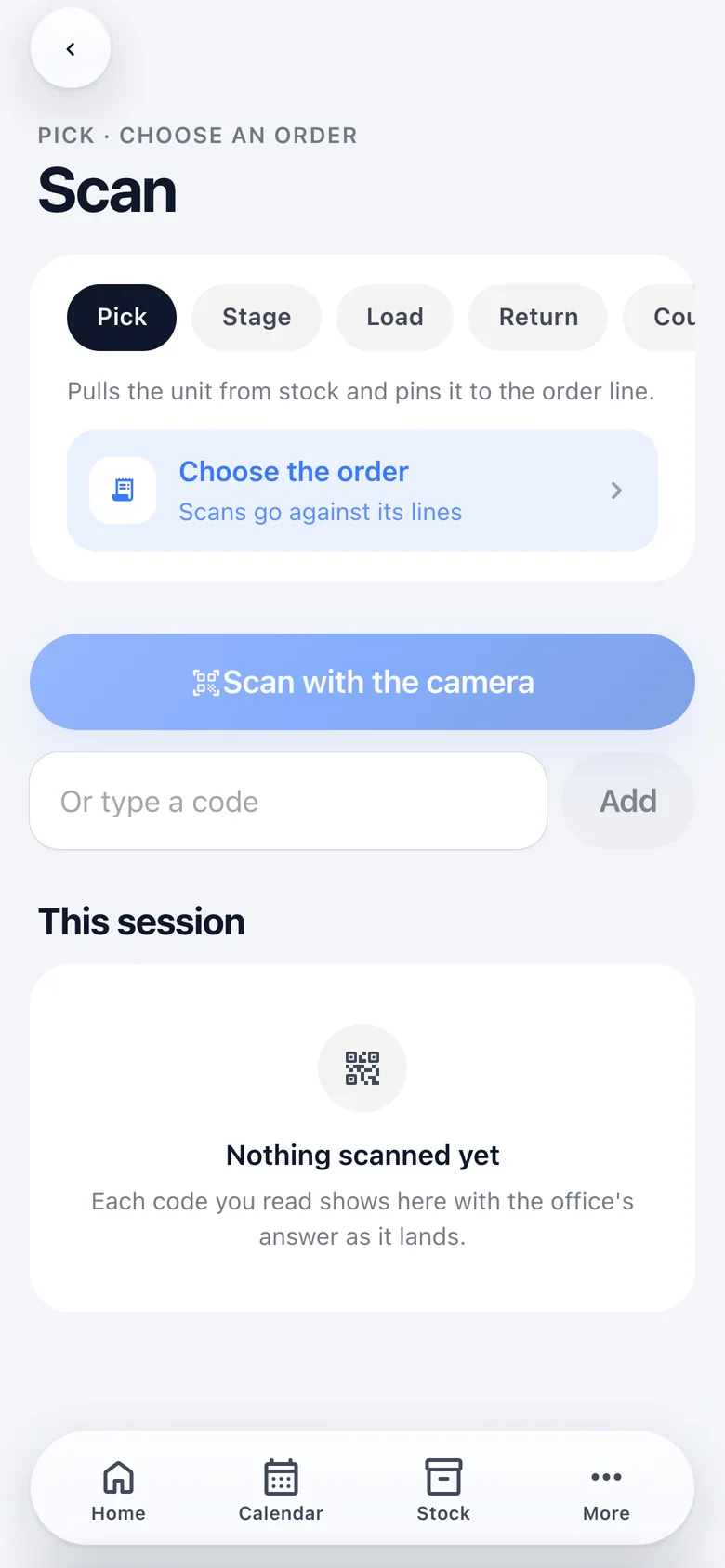
Pick, stage, load, return or count with the camera or a handheld, and see the office's verdict on every read the moment it lands.

The scan screen: pick, stage, load, return or count, the order the scans belong to, the camera, and a typed code as fallback.
03

Where any item is, right now.

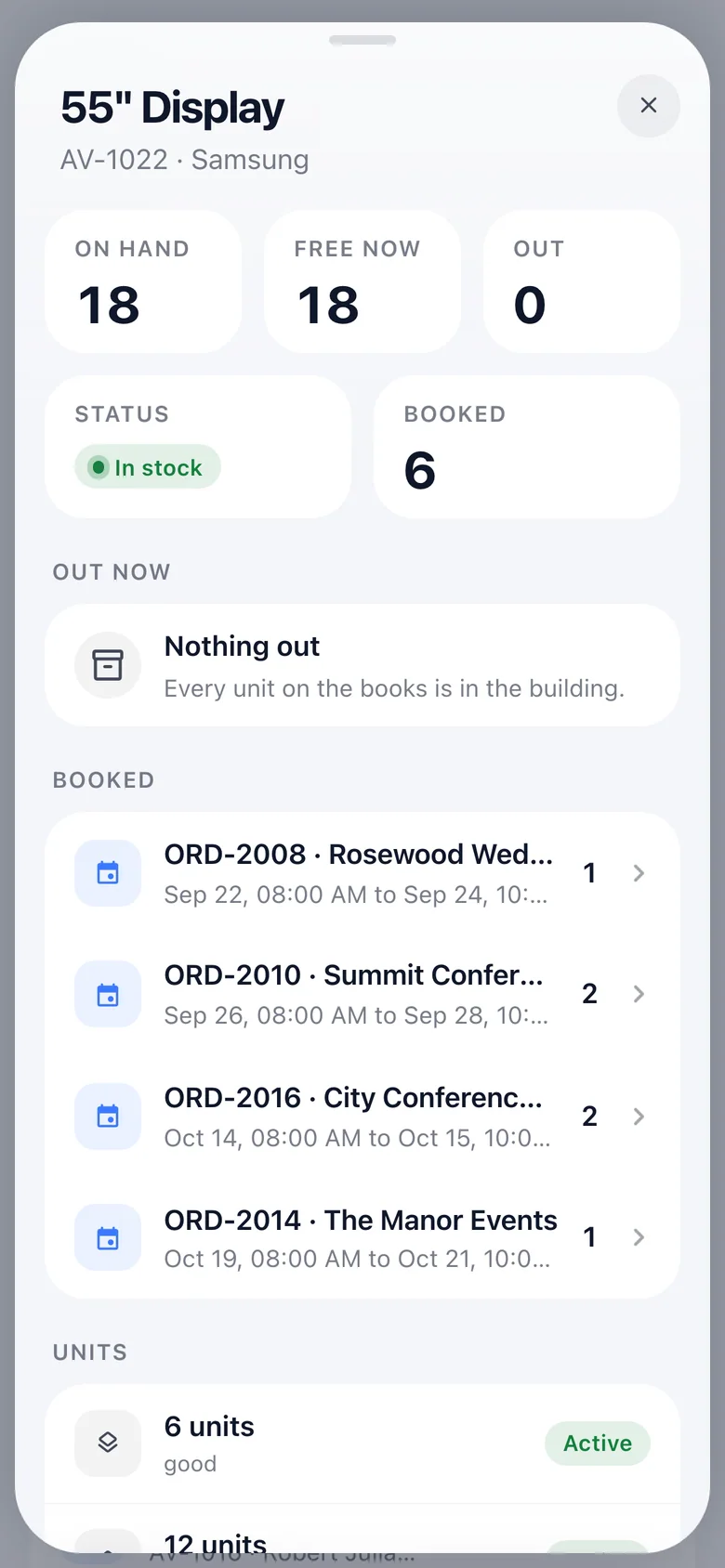
On hand, free now, out and booked for every stock item, followed by the jobs that have it and when each is due back.

A stock item on the phone: on hand, free now, out, booked, and the jobs that currently have it.
04

Live, and honest about what is pending.

When the office moves something, the phone re-reads itself over the same connection. A capture held offline is shown as pending until the server has accepted it, never as saved.

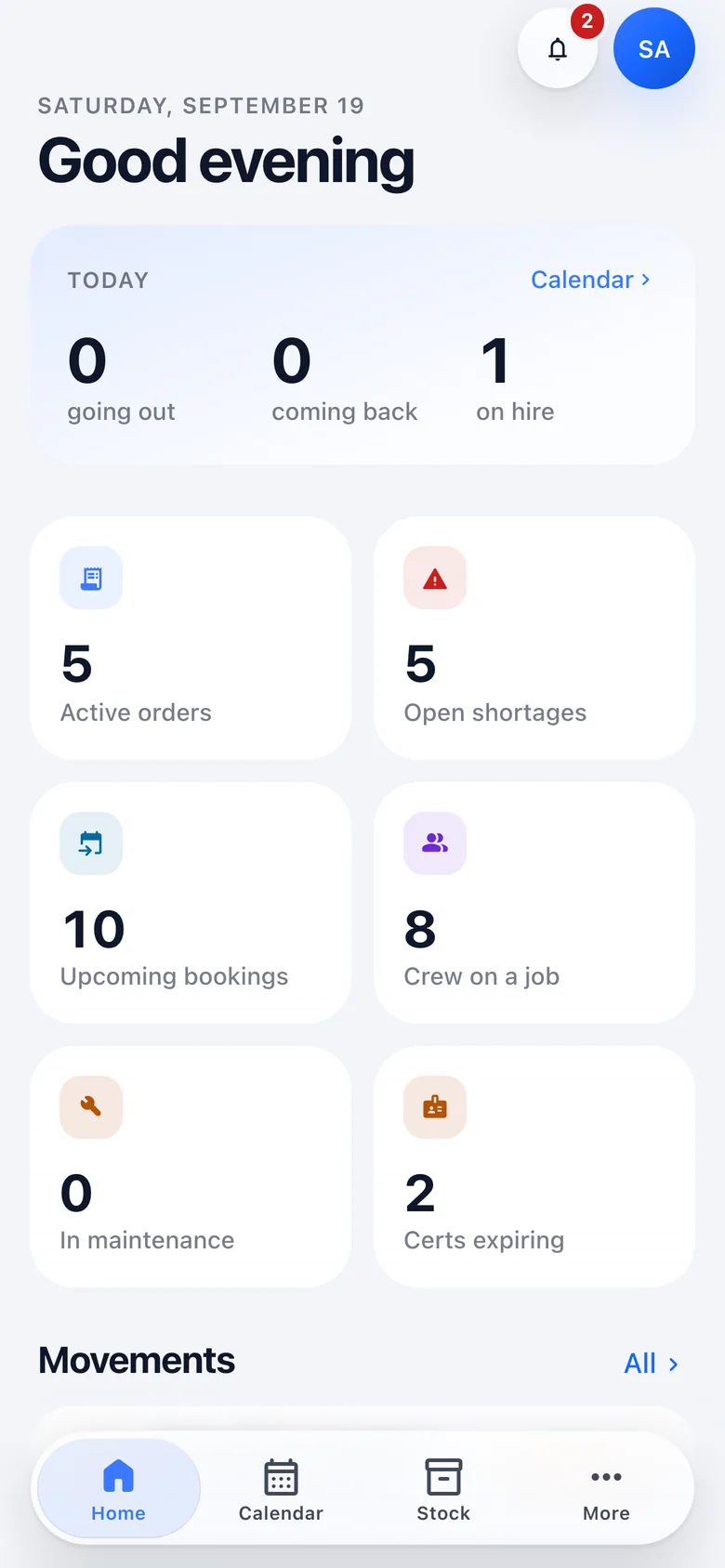
The home screen: today's numbers, six live KPIs and the day's movements.
A run on the phone: the vehicle and window, walkaround and start reading before leaving, then each drop with Load, Directions and On the way.
The scan screen: pick, stage, load, return or count, the order the scans belong to, the camera, and a typed code as fallback.
A stock item on the phone: on hand, free now, out, booked, and the jobs that currently have it.
The home screen: today's numbers, six live KPIs and the day's movements.
04How it is built

A plan is an intention. A scan is a fact.

Every part of LoadOut keeps the two apart. A delay updates the estimate without rewriting the agreed window, and "received" never quietly becomes "cleared for use".

  1. 01

    Live by default

    Every open view follows its data over a single WebSocket. There is no refresh button anywhere in the product, and nothing that is signed in polls.

  2. 02

    Offline where it matters

    Scans and captures are written to the device first and sent when the connection returns. Each carries an id minted on the device, so a replay can never create a duplicate.

  3. 03

    One depot or ten

    With a single warehouse the whole dimension disappears from the interface. Add a second and transfers, per-warehouse roles and the scope selector switch on.

  4. 04

    Your vocabulary, not ours

    Document types, vehicle types, return conditions and work types are defined by your organisation, rather than one country's rules shipped inside the software.

  5. 05

    Every change keeps its author

    Event time and entry time are both recorded. A collection made yesterday and entered today keeps both dates, and every record keeps the person who made the change.

  6. 06

    Designed for the phone as well

    Dark mode is a token flip, not a second design. Every list ships a phone layout, and the scan station is designed at phone width first.

05Where the build stands

In active development, and transparent about it.

LoadOut is not yet generally available. Every screenshot on this site is the real product, running against a seeded demonstration company. This is what is in the build today, and what is being worked on next.

Updated September 2026

In the build today

  • Catalogue, variants, kits, containers, and individual and bulk stock
  • Orders, versioned quotes, pack lists and the order workflow
  • The availability engine, soft and hard reservations, shortages with transfer coverage
  • Sub-rentals with expected and actual return dates, and purchase orders
  • Vehicles, compliance documents, runs and delivery outcomes
  • Crew, shifts, rosters, qualifications, and overtime derived from actuals
  • Maintenance jobs, holds, rules and clearance for equipment and vehicles
  • Invoices, payments, credit notes, recurring billing, public customer pages and a payment gateway
  • Real-time updates across the web app and the phone
  • The mobile app: home, calendar, stock, orders, runs, scan, shortages, customers and alerts

On the roadmap

  • The scan event as the single source of truth: barcode and RFID, containment, and the full offline queue
  • Warehouse worklists and stages (pick, pack, check, stage, load), redesigned from the ground up
  • Transport planning: legs, a coordinating warehouse and load manifests
  • Push notifications while the phone is in a pocket
  • Customer pricing agreements, credit control and an activity log
  • The shortage log: how each one was resolved, and why it occurred
  • Photographs on defects, refuel receipts and drops; drawn signatures
  • Native iOS and Android builds through the app stores

Run your operation on it.

We are onboarding a small number of hire companies ahead of general availability, to shape what is built next. Tell us what you rent and how many depots you run, and we will arrange a walkthrough against your own kit list.

Every enquiry is read and answered by a person on the team, not by an automated sequence.