Built for the people who are not at a desk.
The same records as the office, on a phone designed for drivers, warehouse staff and crew. Runs are captured in the order the work happens, scans are made against the order, and when the building has no signal, nothing is lost.
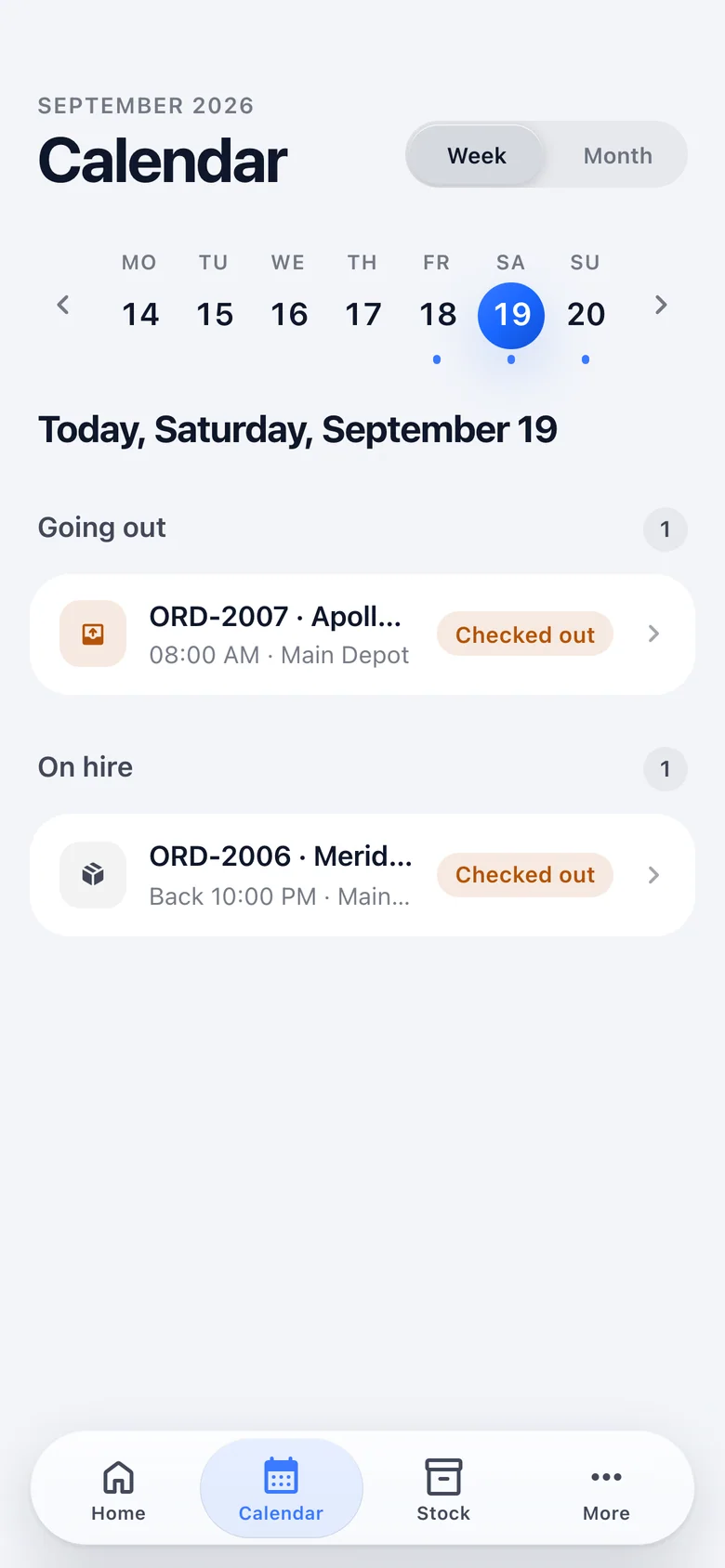
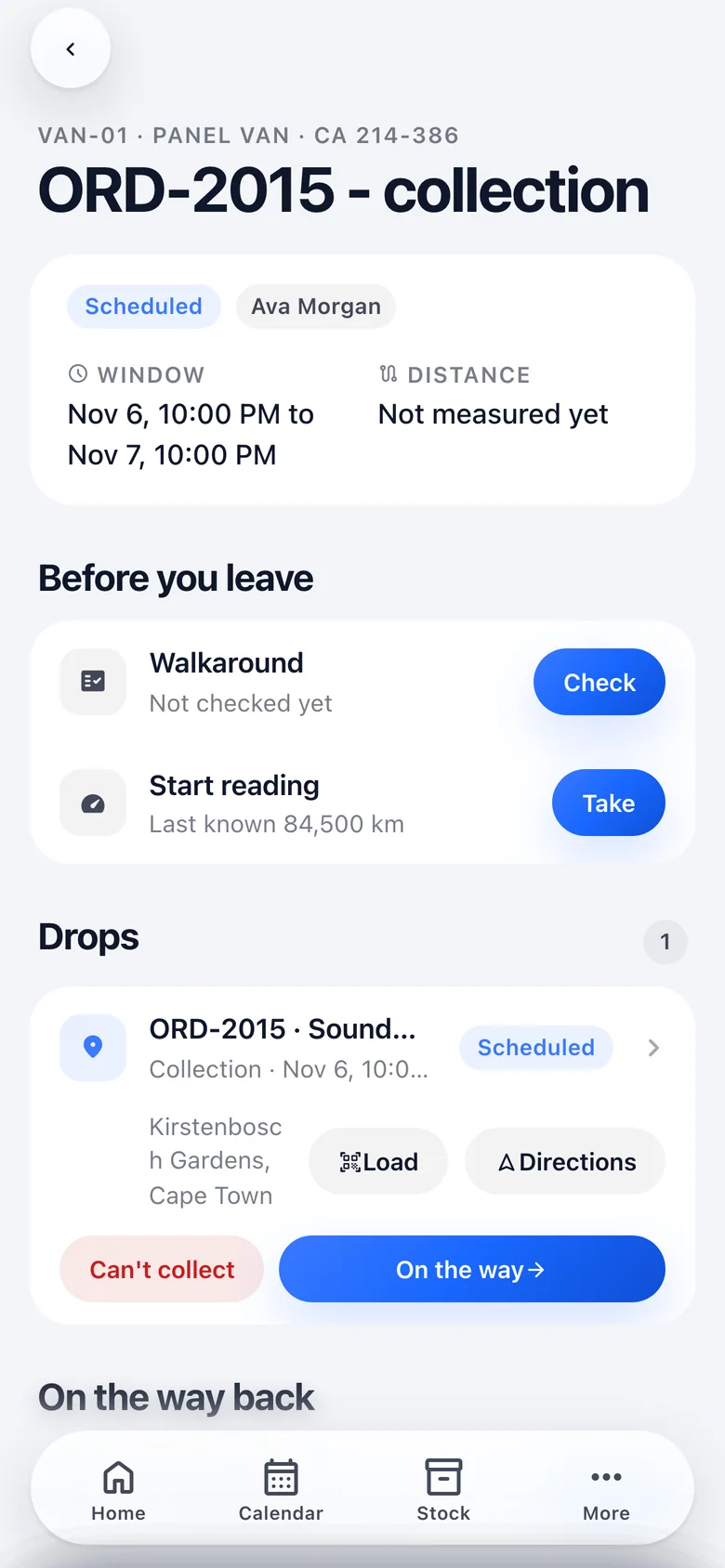
The run, in the order the work happens.
A run opens to what is owed before leaving, then the drops, then the way back. Every capture goes to the queue; one held offline reads "held to send", never "saved".
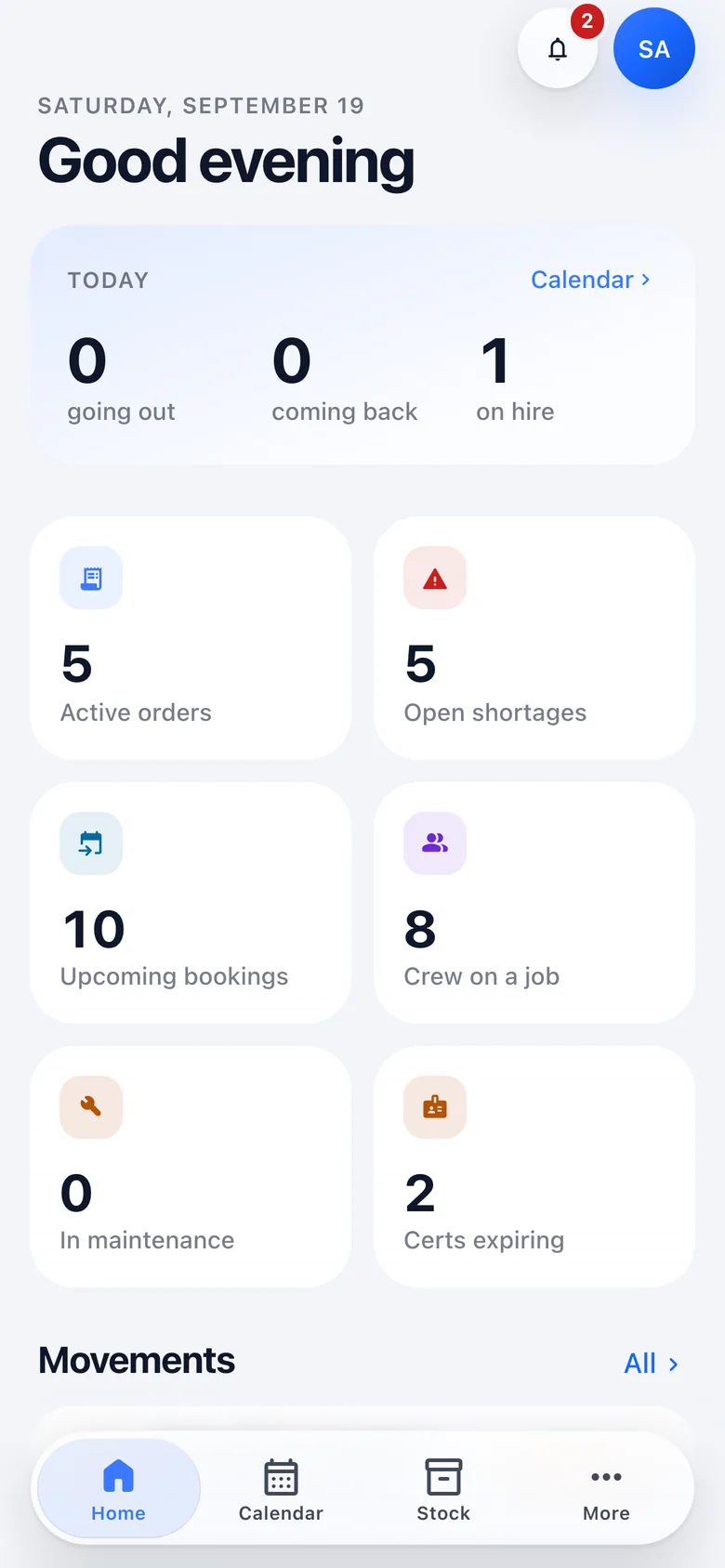
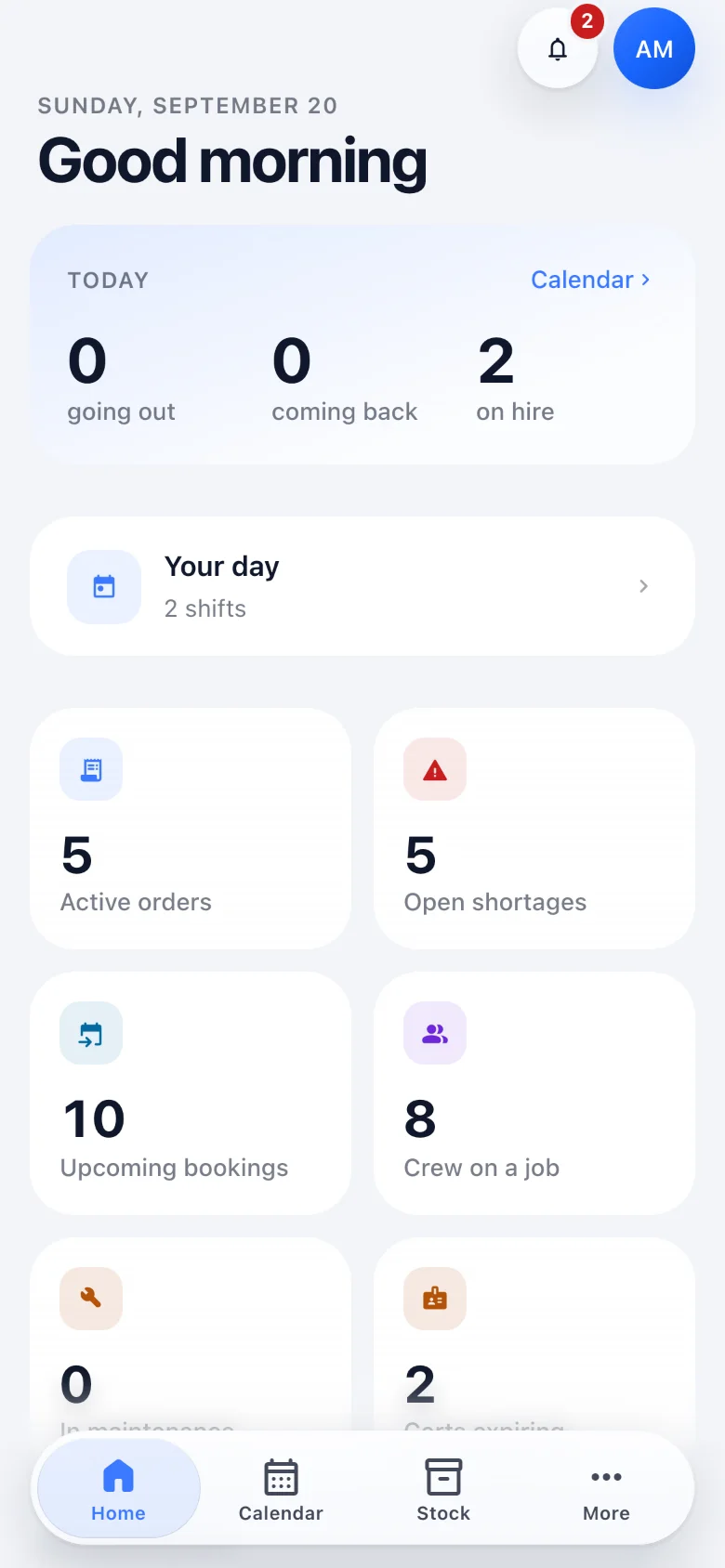
Home: today, then your day.
Today's numbers up front, and a Your day card for anyone on the crew roster with their shift and their run, each one tap from the job.
Runs, read as a checklist.
Each run lists what is still owed before it can be closed: the walkaround, the readings, the drops. Nothing is hidden behind a status.
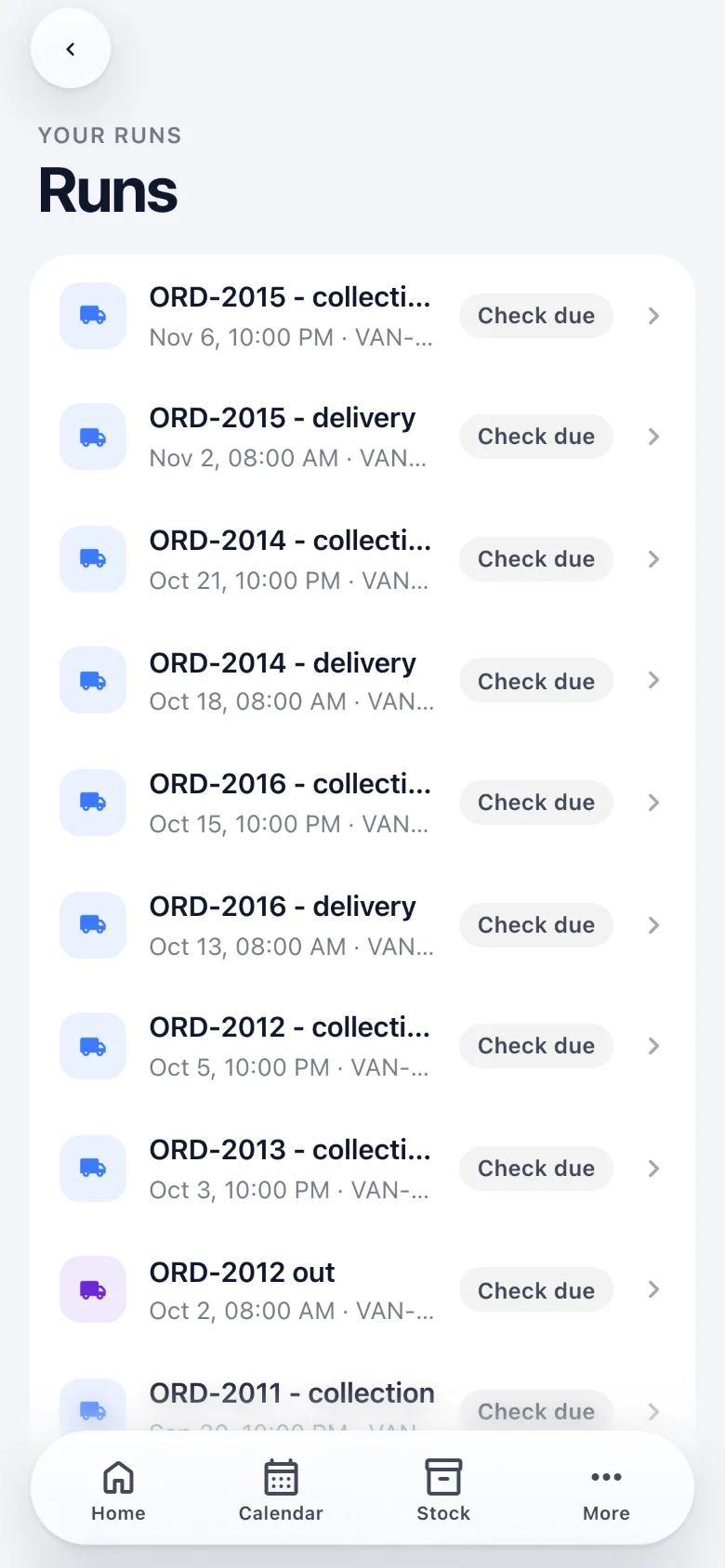
The run, in the order the work happens.
Walkaround and start reading before leaving, then each drop with directions and an outcome, then the closing reading and refuel on the way back.
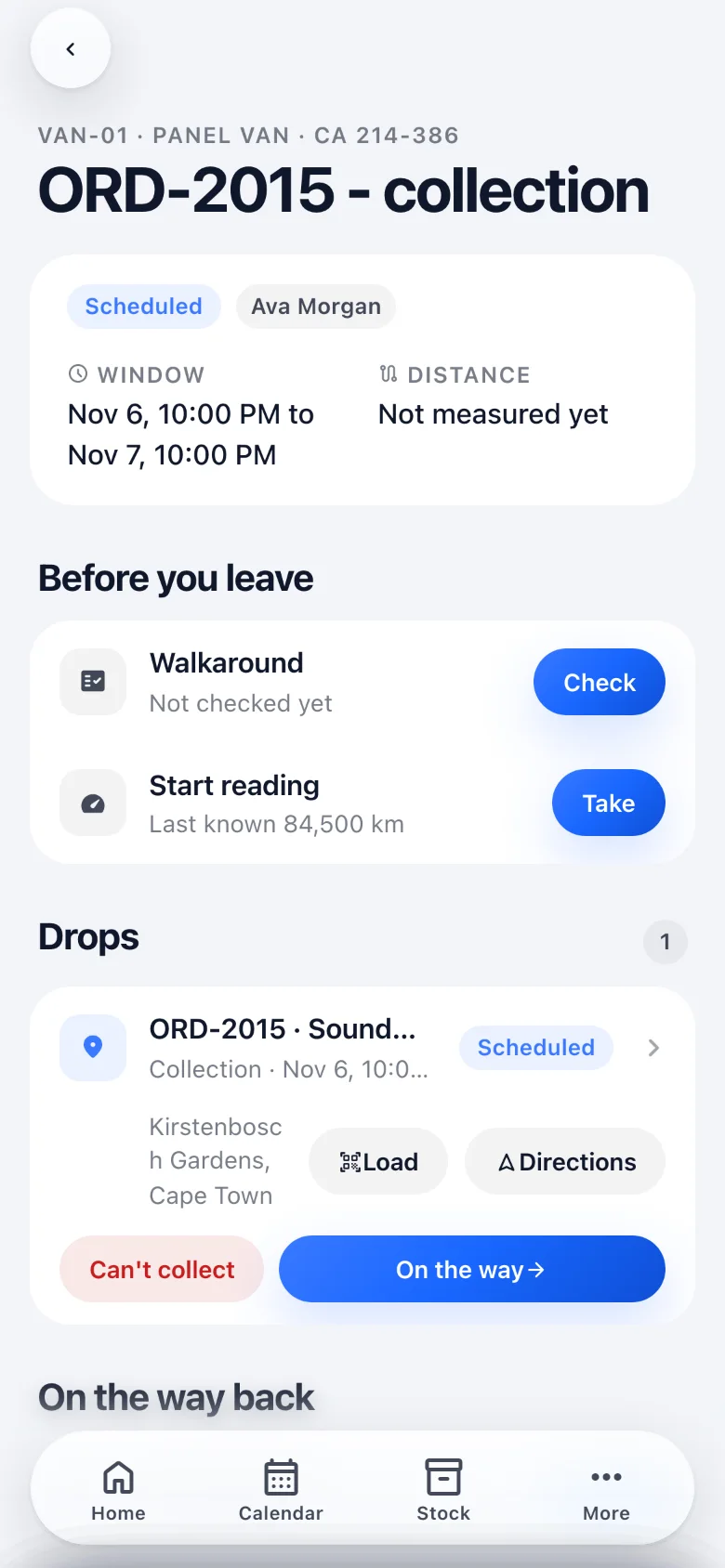
The calendar, with your day first.
Shifts and runs in time order, ahead of everything else the business has on. Directions to the site are one tap away.
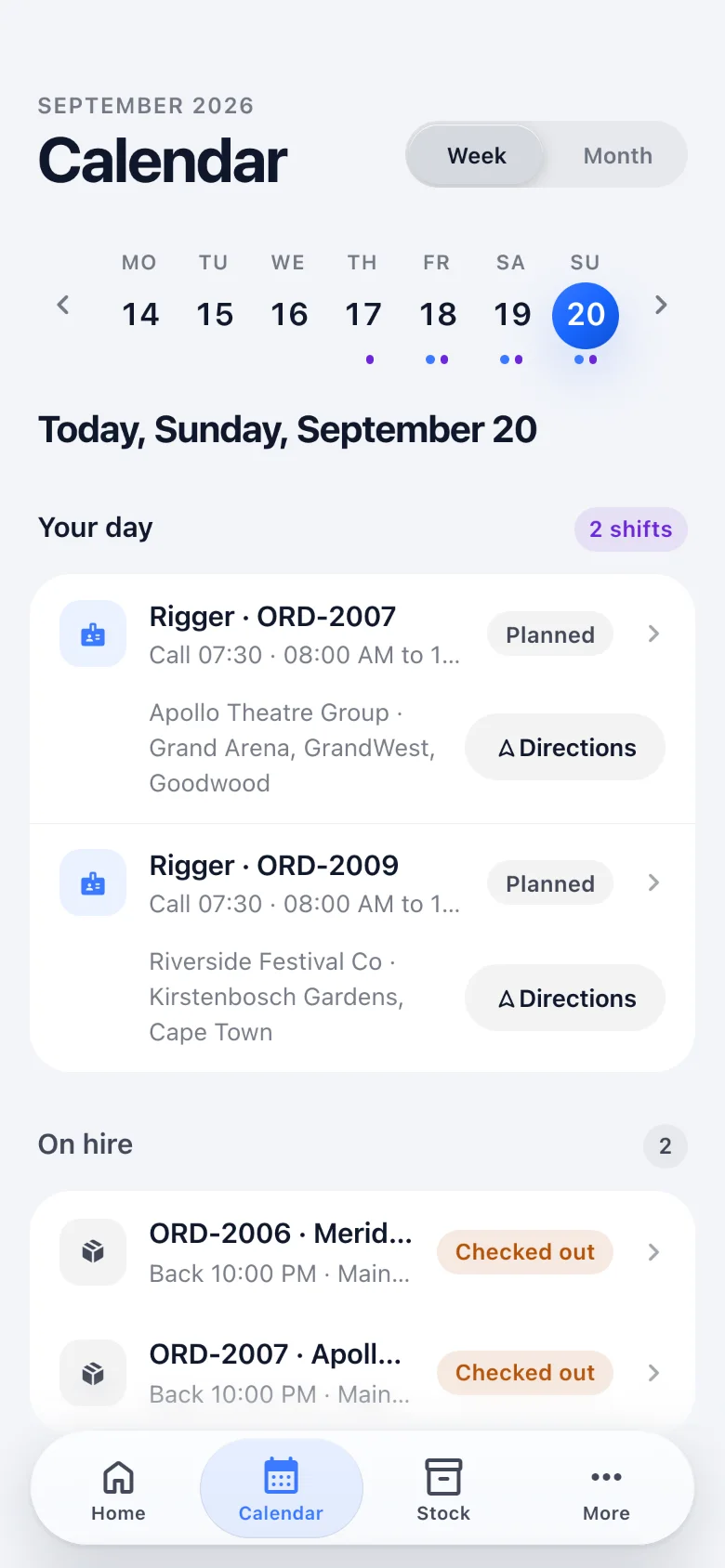
Walkaround
Defects with a severity. Nothing is wrong by default, so a clean van is two taps.
Readings that catch mistakes
The start reading opens on the last known figure, so a mistyped number shows up as a gap.
Each drop, one next thing
Directions, Load, then On the way, Arrived, and Delivered or Collected with who signed, or Can't deliver with the reason it will not proceed without.
Close the run
End reading, refuel, done. The one warning that stays in the way is that readings cannot be recovered.
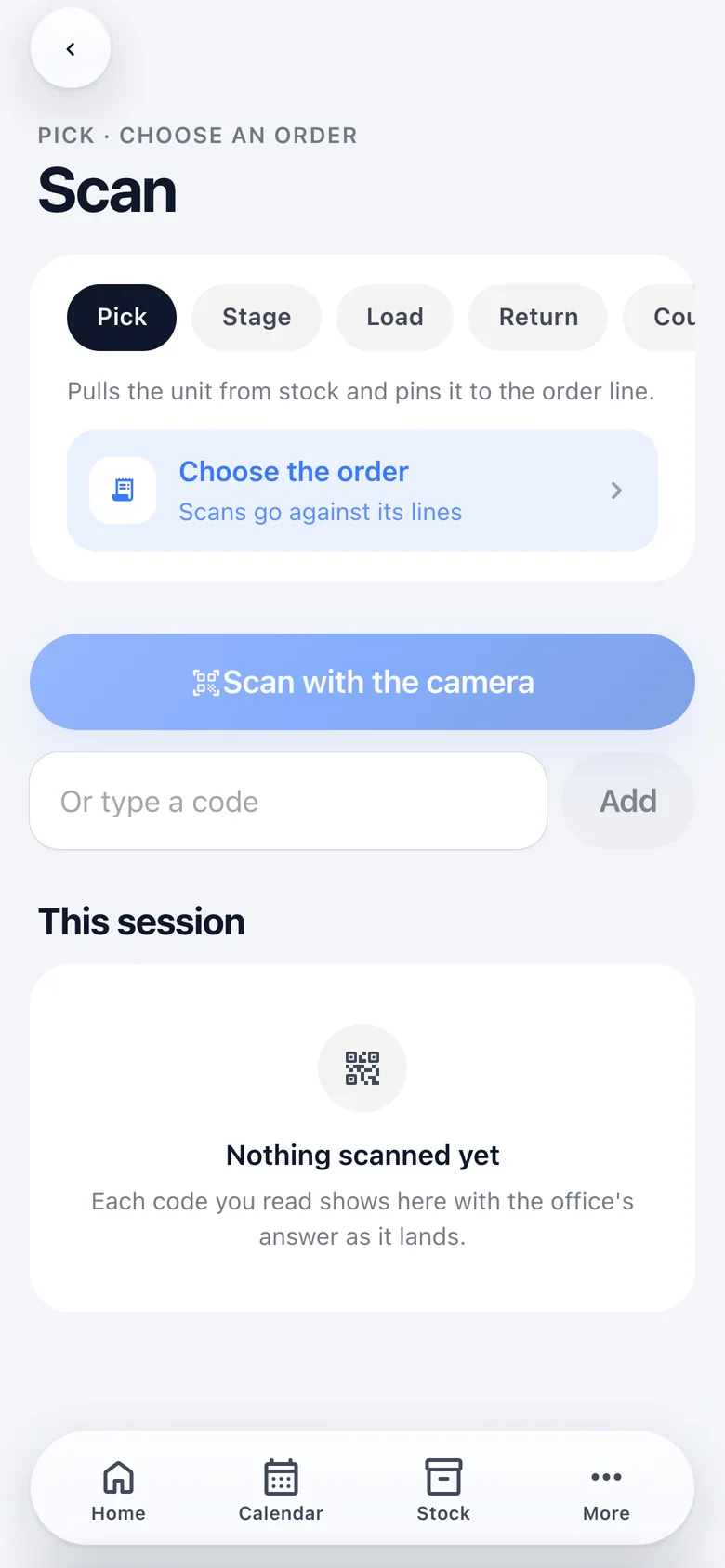
A scan station in a pocket.
Pick, stage, load, return or count, the order the scans belong to, then the camera: ML Kit on a phone, the browser's barcode detector where there is one, a typed code anywhere. Each read receives the office's verdict as it lands.
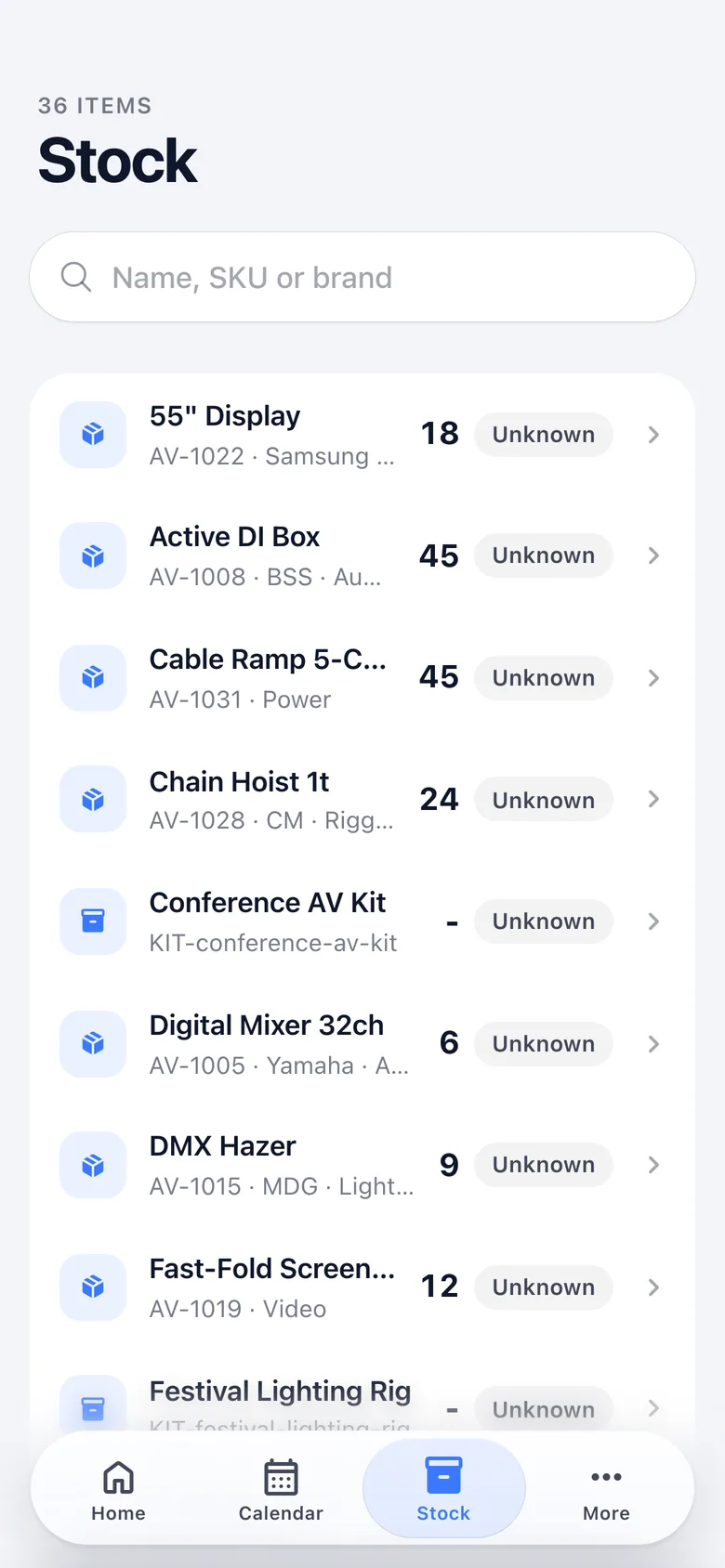
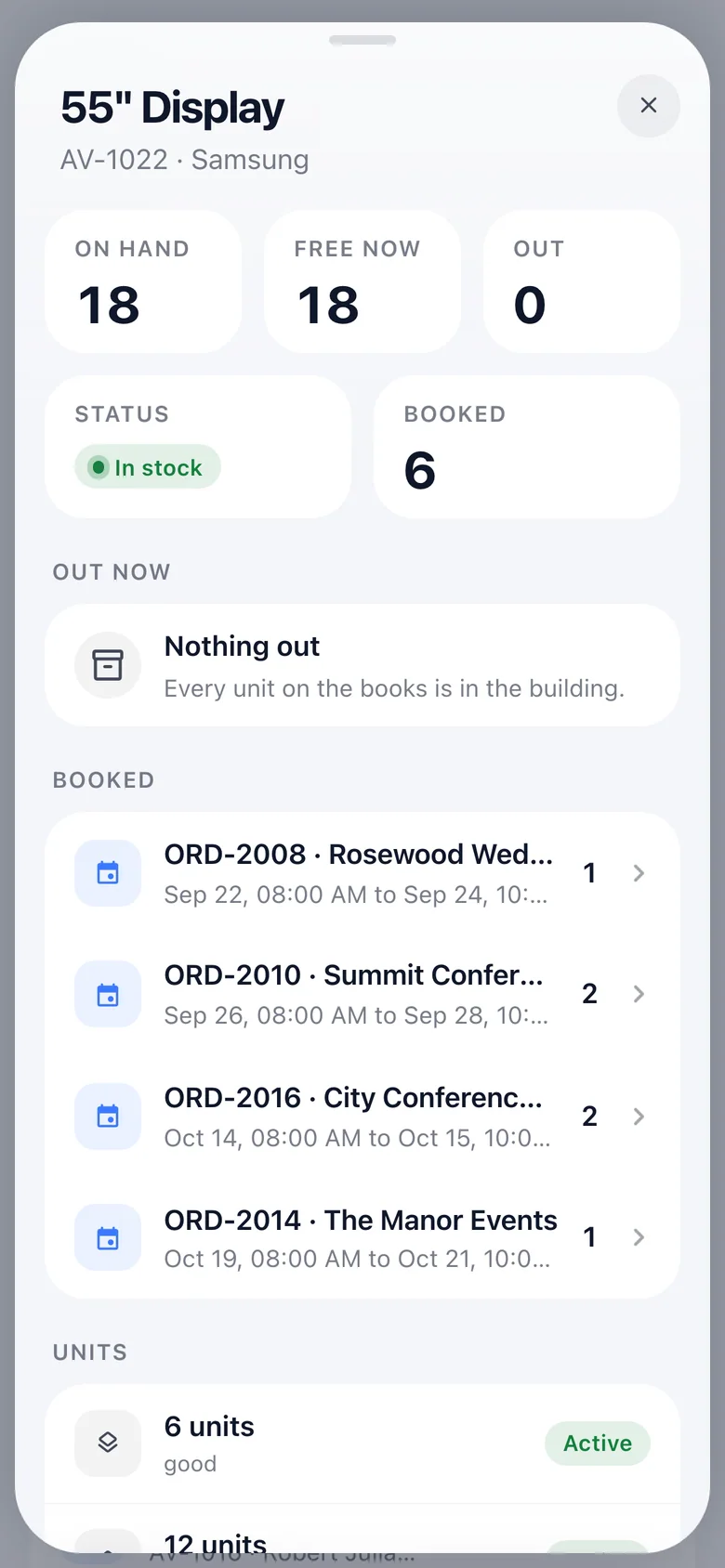
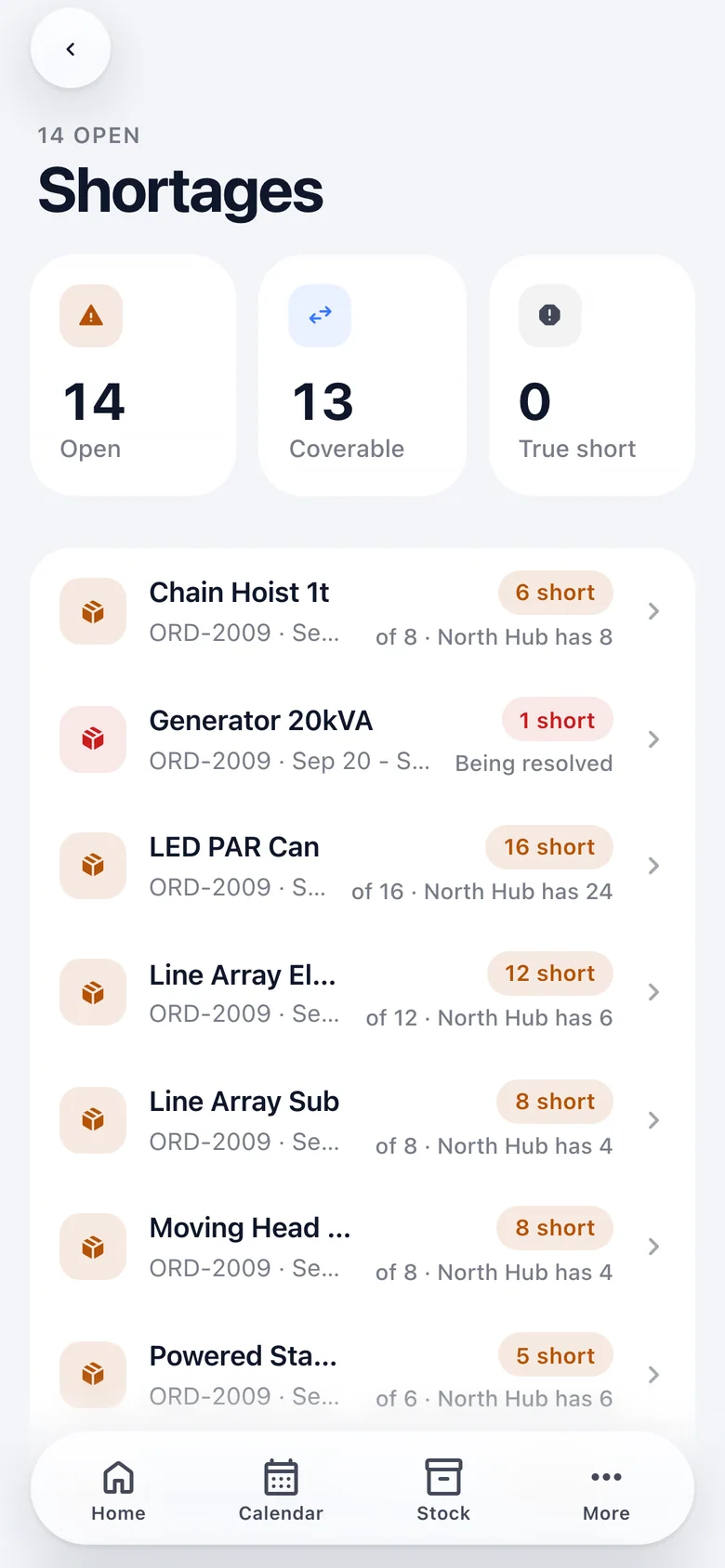
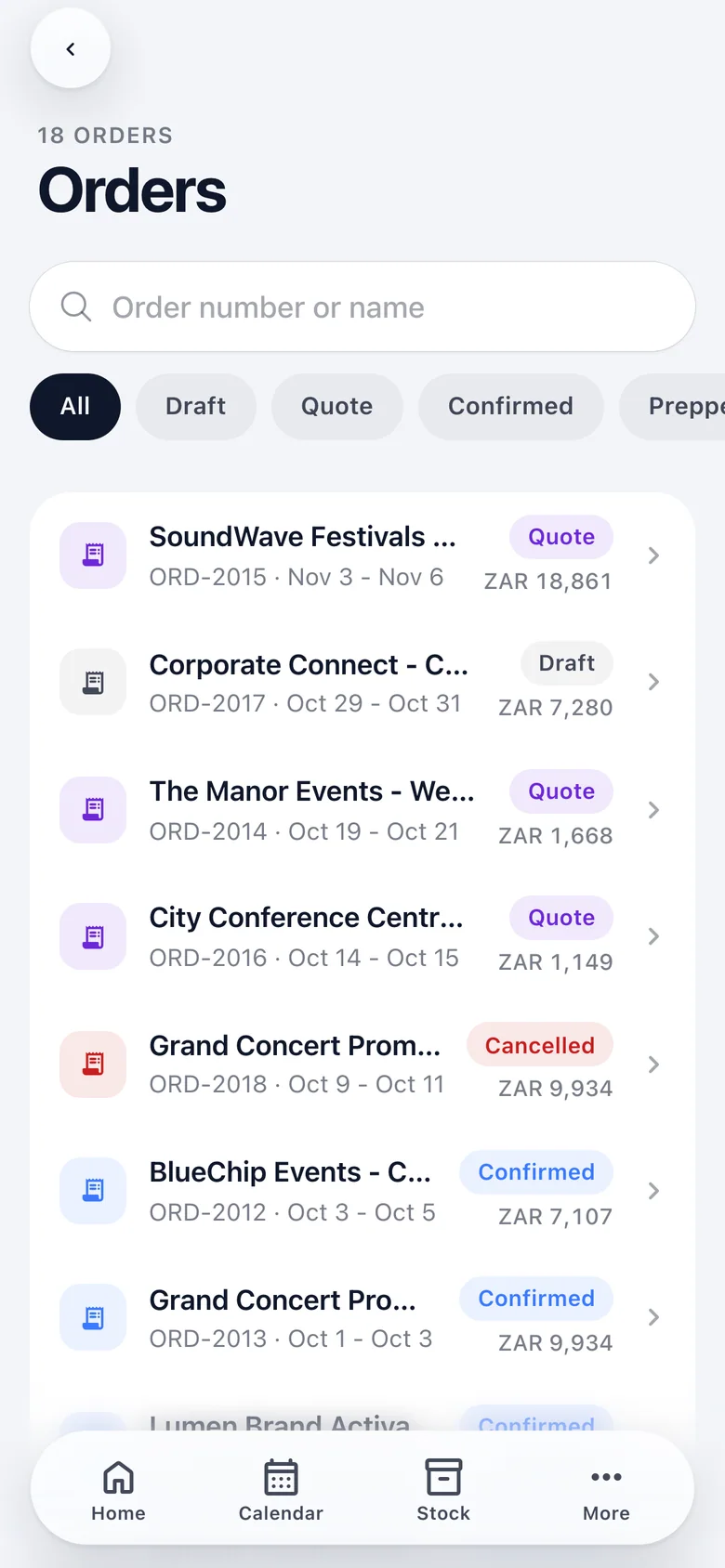
Everything the office can see, wherever it is.
Orders by status, a customer one tap from a call or the route to site, and the bell as a screen. Each opens to the record itself, whether a quote with its pipeline, an order, an invoice or a stock item, read live.
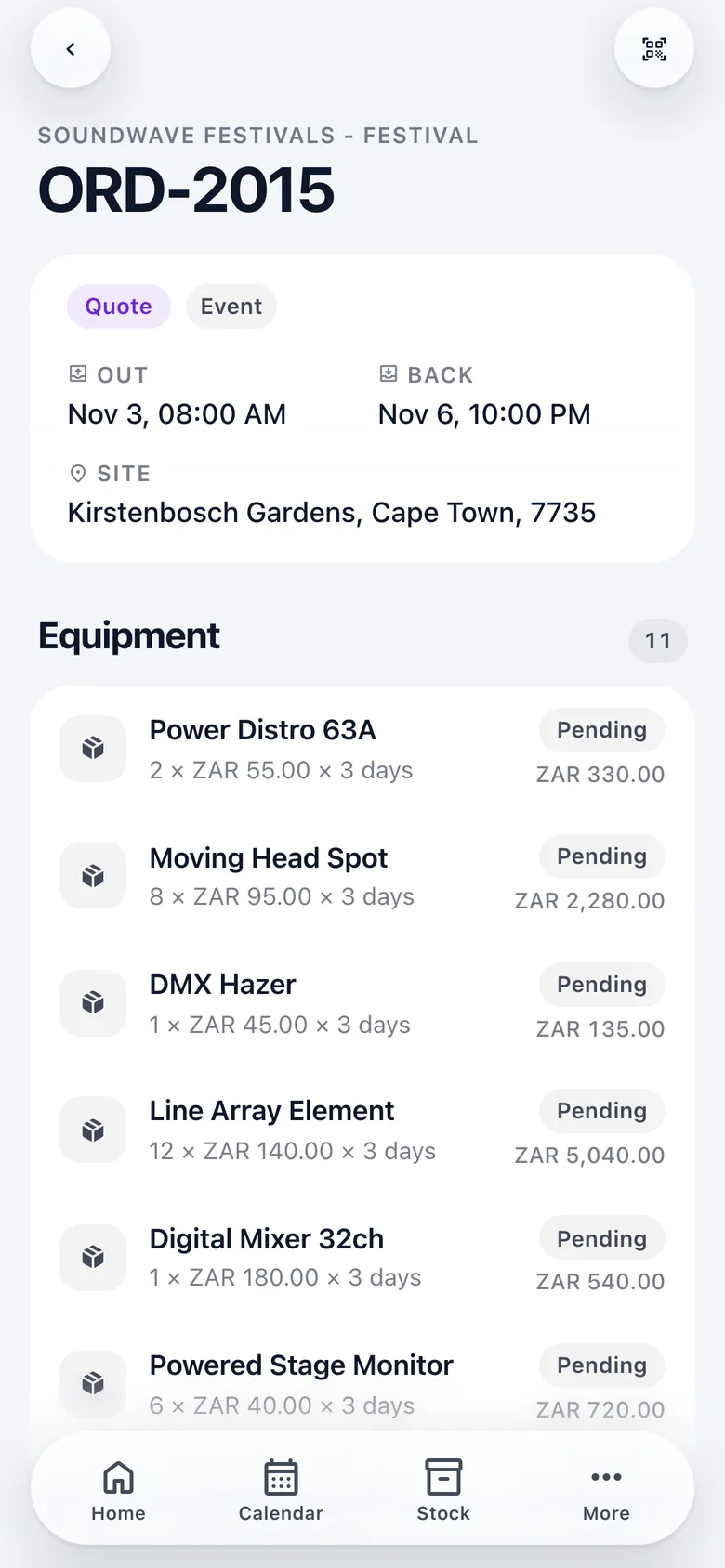
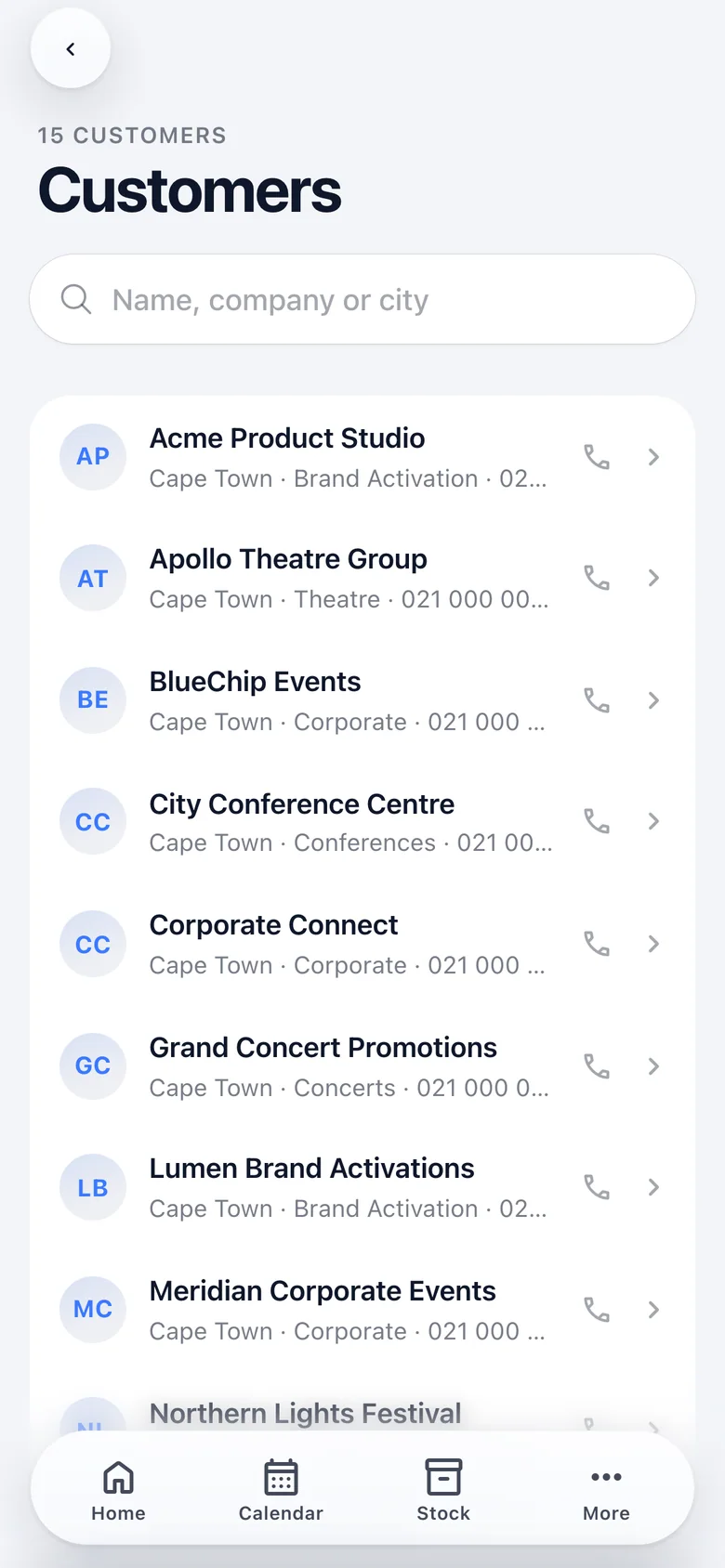
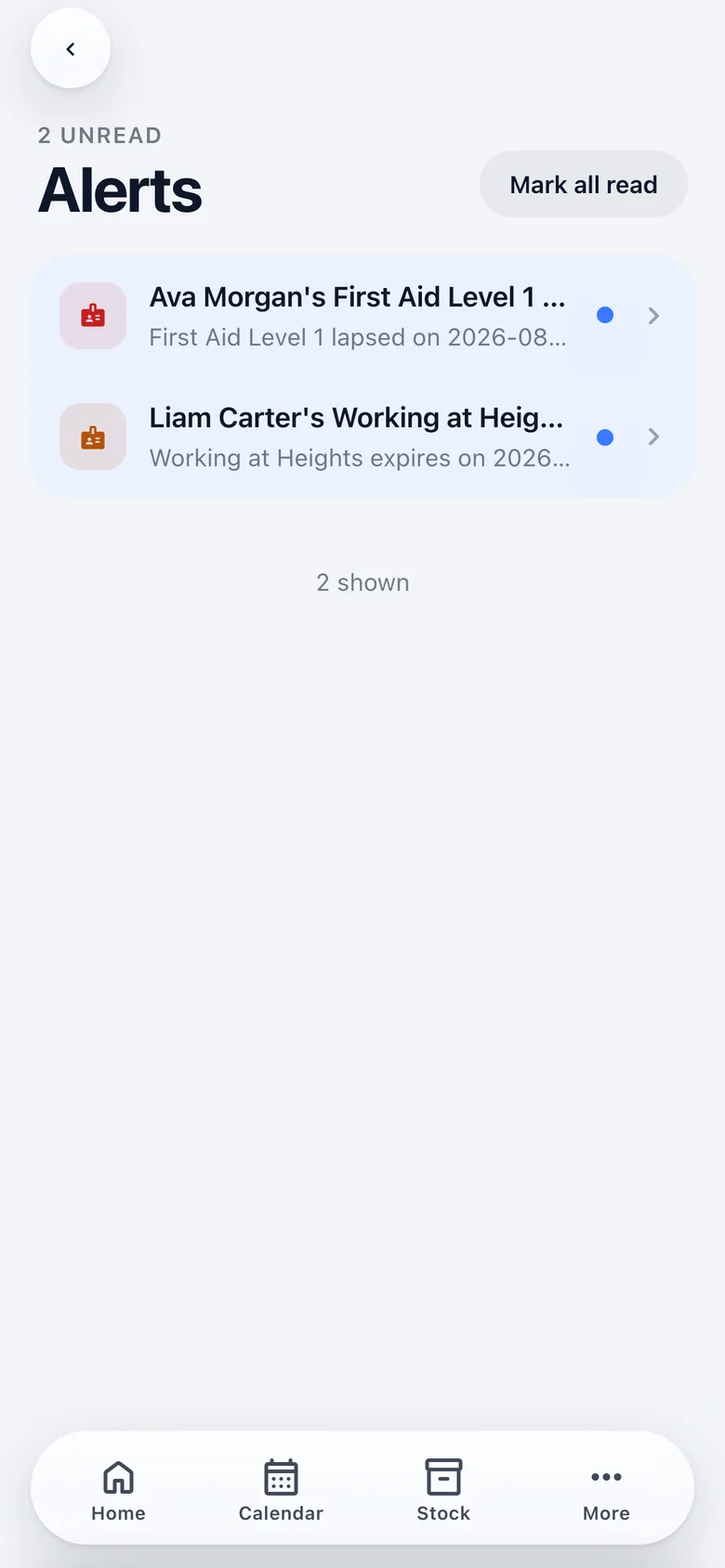
Native where it counts. One codebase everywhere.
Angular and Ionic inside Capacitor, with a small native layer where the web view cannot do the job. On iOS the dock is a native capsule drawn outside the web view, and pull-to-refresh rides the web view's own rubber band. Everywhere else the same chrome is CSS.
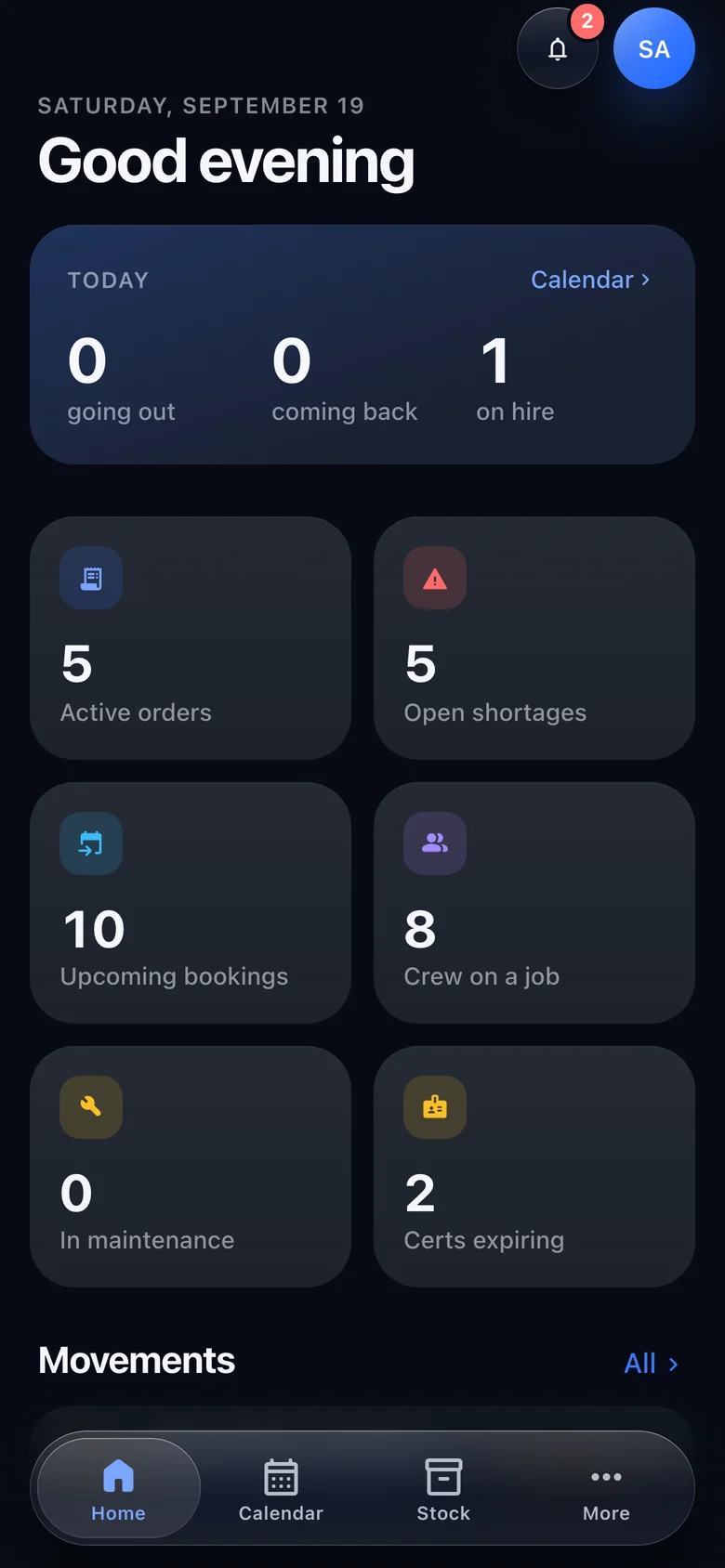
- 01
Offline queues
A capture or a scan is written to the device first (IndexedDB, or memory if the web view refuses it) and drained on reconnect, when the app returns to the foreground, and on a slow timer.
- 02
Safe replays
Every capture carries an id minted on the device, so a retry can never create a duplicate on the server.
- 03
One connection
Opened while a live screen is on, kept between screens, closed when the app leaves the foreground. There is no refresh button anywhere.
- 04
Light or dark
Follows the device unless pinned, using the same tokens as the office app, so a status reads the same colour on both.
- 05
Camera scanning
ML Kit on the phone and the browser's barcode detector where there is one, with a typed code as the fallback everywhere.
In the app today, and what is next.
In the app today
- Home, calendar, stock, orders, runs, scan, shortages, customers, alerts and quotes
- Run capture: walkaround, readings, drops with outcomes, refuel and close
- Offline capture and scan queues with safe replay
- Live updates over the connection, pull to refresh, light and dark
- Camera scanning through ML Kit, with a typed code as fallback
On the roadmap
- Push notifications while the app is in a pocket
- Clock-in against a shift, and the crew role matrix behind it
- Photographs on a defect, a refuel receipt or a drop, and a drawn signature
- App Store and Play Store builds; today it runs from a development build
Put it in your drivers' hands.
Early-access companies receive the phone app alongside the office app, and a direct line to the people building it.